

PowerOutage.us tracks more than 950 utilities serving over 200 million customers, and we use outage trends to recommend battery backups. Our outage data shows fast transfer and usable capacity are important factors, and our picks align with those.
How we ranked these whole-home UPS systems
Our whole-home UPS ranking combines manufacturer specifications, product listing data, owner evidence, installation requirements, and PowerOutage.us outage trends.
- Automatic switchover and power quality: We weighted transfer time, direct online-UPS modes, pure-sine output, restart behavior, and transfer hardware at 30%.
- Whole-home output and surge capability: We weighted split-phase output, continuous power, motor-start capability, panel amperage, and controlled circuit count at 25%.
- Capacity, expansion, and recharge resilience: We weighted base kWh, expansion, solar or generator support, recharge power, and load shedding at 20%.
- Smart-home integration and control: We weighted circuit monitoring, remote control, schedules, storm reserve, and manual fallback at 15%.
- Safety, support, installation, and value: We weighted LFP chemistry, certifications, warranty, installer requirements, owner evidence, and complexity at 10%.
Be aware that most products here provide emergency power supply, or EPS, home backup rather than continuous double-conversion UPS output. We also considered whether a system could preserve practical loads such as security cameras during an outage.
Finally, keep in mind that a true uninterruptible power supply switches in 10 ms or under. UPS devices are often built for medical and computer networking equipment, so they have smaller power banks and can’t power a whole house.
For this article, we’re considering whole-home backup options that have very fast transfer times under 30 ms, but they might not match the speed of a dedicated UPS device.
How these whole-home UPS systems compare
The table separates hardwired transfer, direct-load UPS mode, coverage, and capacity.
| Home battery system | Hardwired transfer | Direct-load online UPS | Coverage | Base useful capacity |
|---|---|---|---|---|
| EcoFlow Ultra X + SHP3 | Under 20 ms advertised | Configuration-dependent | Up to 200 A and 32 circuits | About 12.3 kWh |
| Anker E10 + Power Dock | 20 ms or less advertised | Not positioned as 0 ms | Up to 200 A whole panel | 6 kWh |
| Jackery 5000 Plus + STS | About 20 ms | 0 ms selectable | 12 essential circuits | 5.04 kWh |
| BLUETTI Apex 300 system | 0 or 20 ms by mode and hardware | 0 ms supported mode | Modular critical-load or whole-home | 2.76 kWh per unit |
| Anker F3800 Plus + HPP | About 20 to 30 ms | Device-mode dependent | 12 critical circuits | 3.84 kWh |
5 best whole-home UPS systems for smart home protection
These five systems cover 200 A whole-panel platforms, selected-circuit backup, and 0 ms direct-load modes that protect sensitive devices separately from hardwired circuits. A smaller UPS for routers and networking gear can sit downstream when even a brief panel transfer would cause a reboot.
1. EcoFlow DELTA Pro Ultra X + Smart Home Panel 3
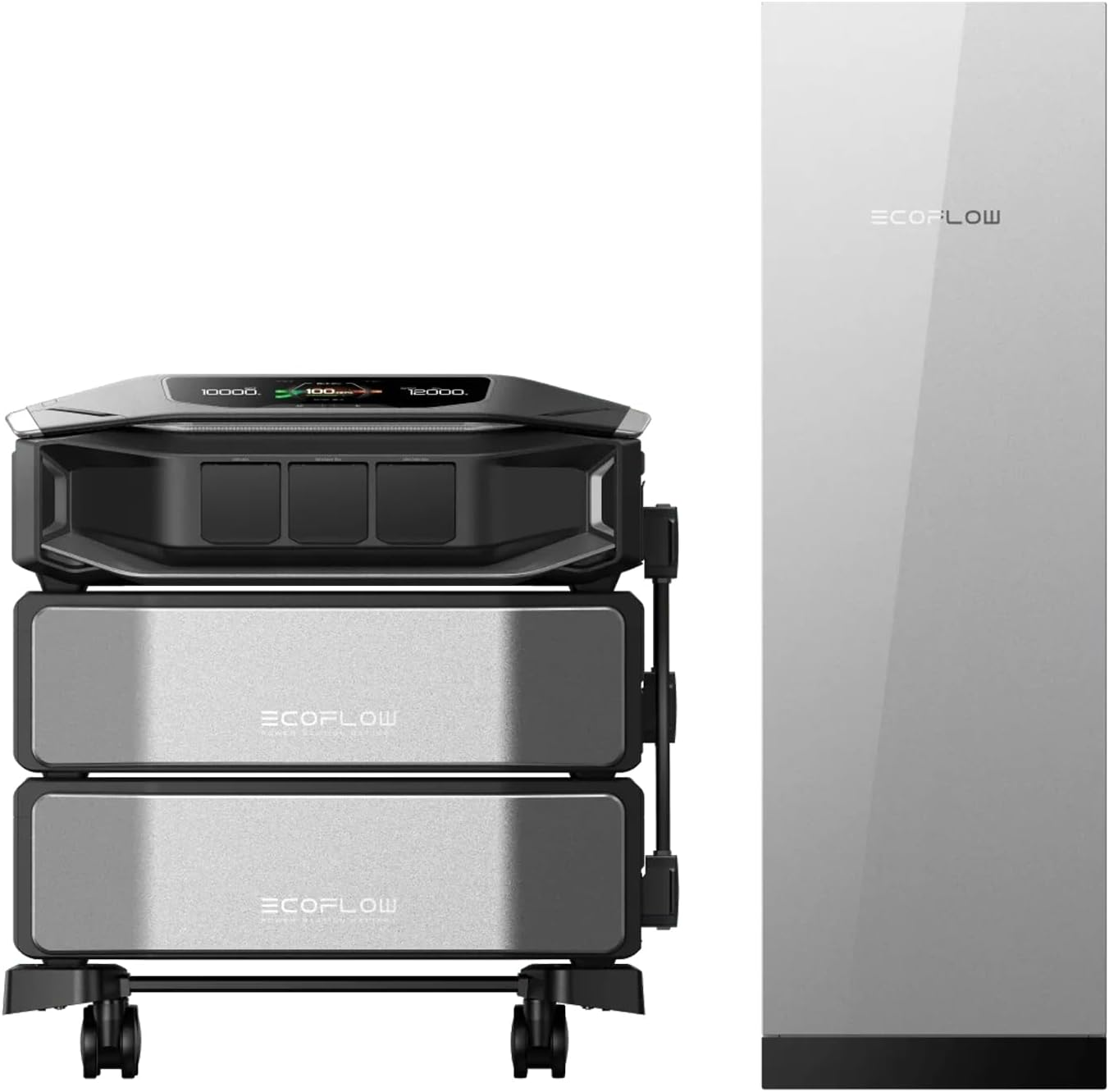
EcoFlow DELTA Pro Ultra X supplies 12 kW, about 12.3 kWh, 32 circuit controls, and advertised under-20-ms panel transfer in its standard configuration.
Large smart homes should consider the EcoFlow system when output, granular load control, solar, generator, EV integration, and expansion justify the cost. Sensitive network and server equipment should still use an online UPS.
- Output: 12 kW standard with expansion to 36 kW.
- Capacity: About 12.3 kWh standard with expansion up to 180 kWh.
- Voltage: 120/240 V split phase.
- Solar: Up to 10 kW per standard system configuration.
- Transfer and control: Under 20 ms advertised with up to 200 A and 32 circuits.
Pros
- The platform leads our picks in output and capacity expansion.
- Smart Home Panel 3 controls up to 32 circuits.
- Solar, generator, and EV integration support long outages.
- Modular components allow later expansion.
Cons
- Equipment and installation cost more than the other picks.
- The new platform has limited long-term owner history.
- The fastest transfer requires the correct EPS configuration.
EcoFlow DELTA Pro Ultra X reviews
The DELTA Pro Ultra X and Smart Home Panel 3 both have just a handful of Amazon reviews. The DELA Pro Ultra X does have 4.2 stars from about 30 reviews on Costco, where early owners like the system capability and control.
Should you buy the EcoFlow DELTA Pro Ultra X?
You should buy the EcoFlow system if maximum capability and circuit control justify the price and installation. You should pass if sparse owner history or a smaller essential-load system fits better.
2. Anker SOLIX E10 + 200 A Power Dock
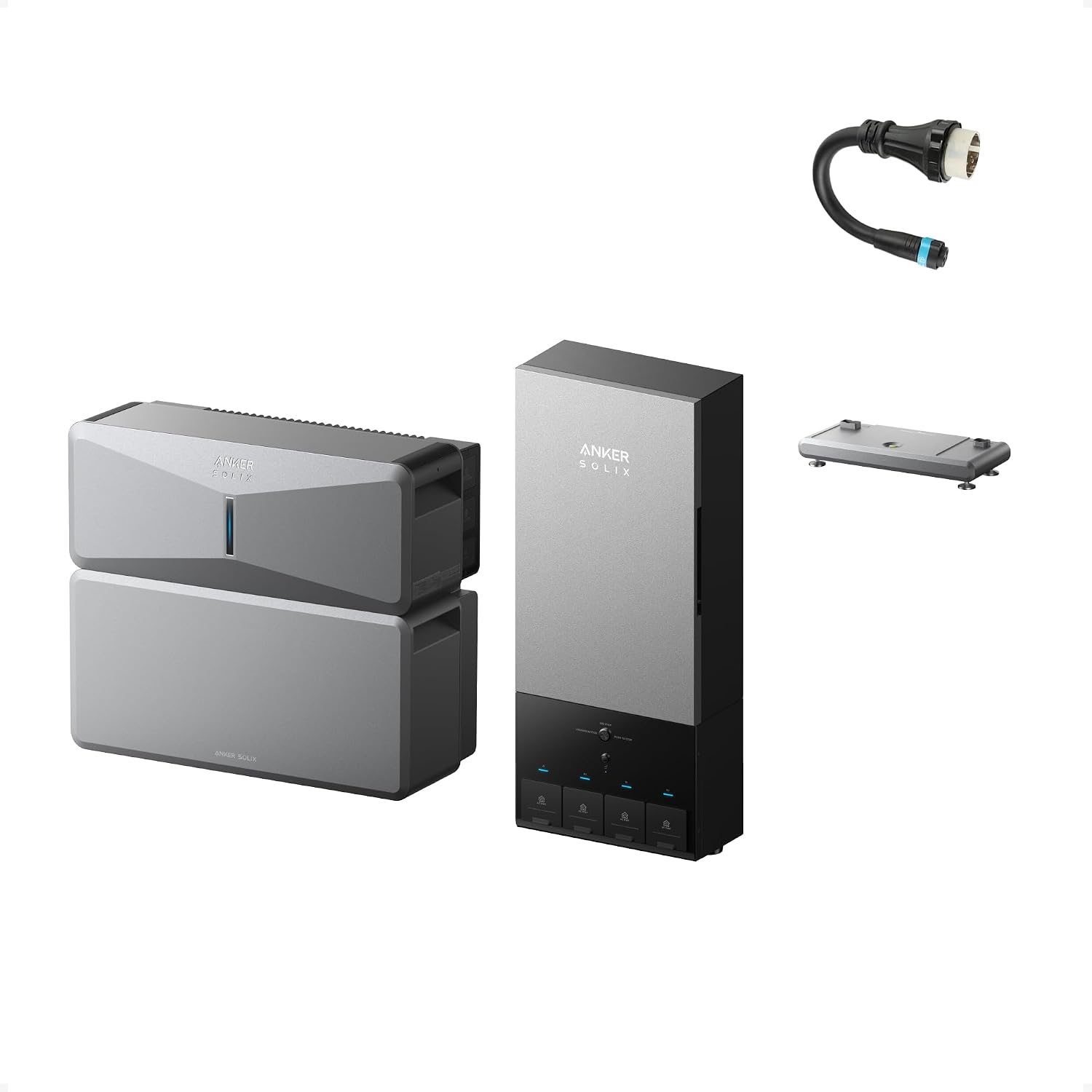
Anker SOLIX E10 combines 7.68 kW output, a 6 kWh base battery, and 20-ms-or-less Power Dock transfer at a lower entry price.
Homeowners should consider E10 when automatic 200 A coverage, motor-start capability, weather-rated components, and modular expansion are important. Be sure to choose the Power Dock rather than the manual Smart Inlet Box for the fast transfer time.
- Output: 7.68 kW continuous per power module.
- Turbo output: 10 kW for up to 90 minutes on qualifying configurations.
- Capacity: 6 kWh base with expansion to 90 kWh.
- Solar: Up to 9 kW per unit.
- Transfer and service: 20 ms or less with a 200 A Power Dock.
Pros
- The platform starts below EcoFlow Ultra X pricing.
- Power Dock supports automatic 200 A whole-panel transfer.
- Strong motor-start capability can support compatible HVAC.
- Weather-rated hardware supports outdoor installation.
Cons
- The 2026 platform has almost no long-term owner history.
- The base 6 kWh battery is small for unrestricted whole-home use.
- Maximum Turbo and surge figures require specific configurations.
Anker SOLIX E10 reviews
While there are less than 5 reviews total for different configurations of the E10 and battery packs, most reviewers have positive things to say about the installation process and battery system. One reviewer had an issue with the delivery taking longer than estimated.
Should you buy the Anker SOLIX E10?
You should buy an E10 if automatic 200 A backup and value are important to you. You should pass if established owner history or more base capacity matters more.
3. Jackery Explorer 5000 Plus + Smart Transfer Switch
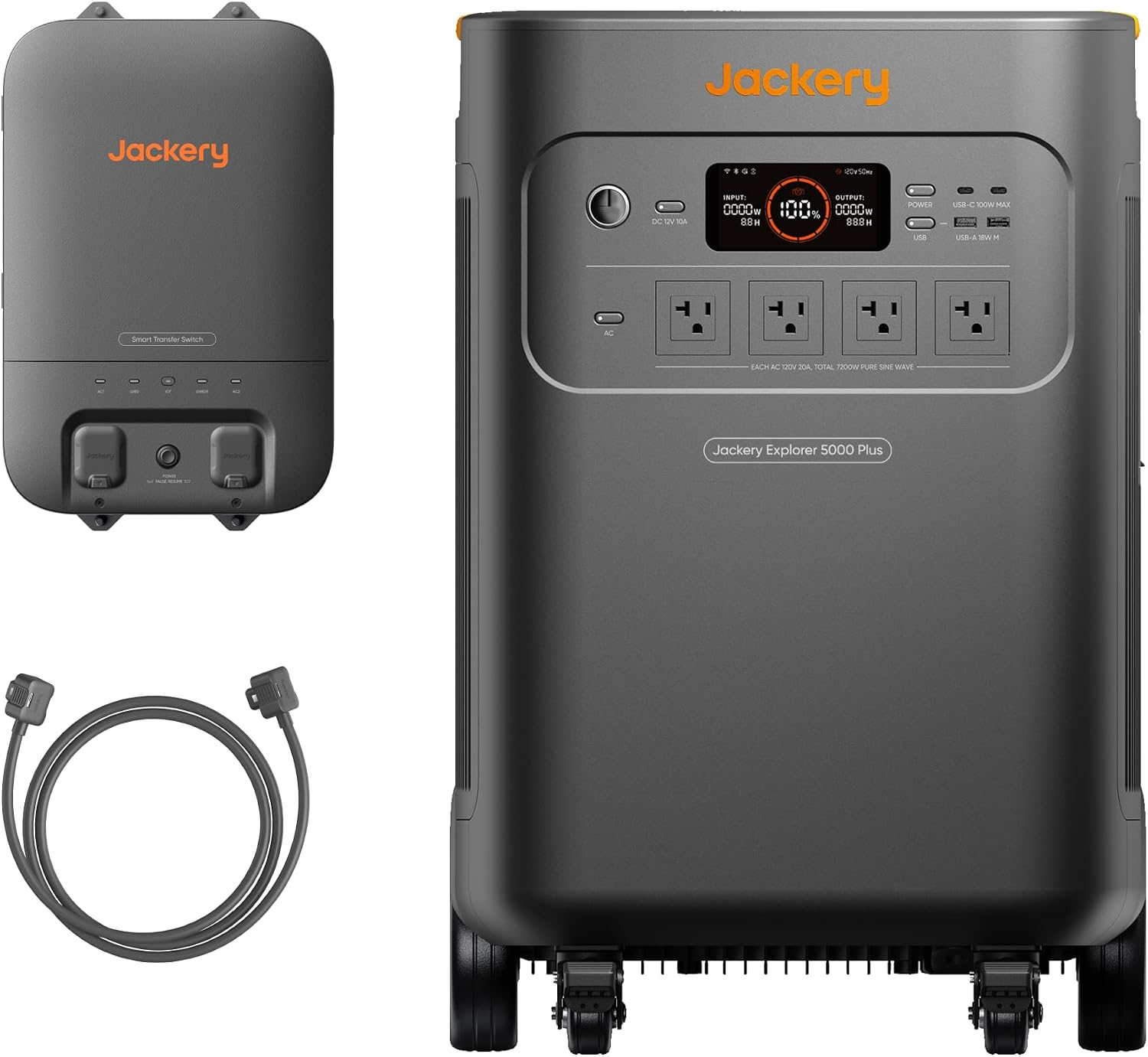
Jackery Explorer 5000 Plus supplies 7.2 kW split-phase power and a direct 0 ms online-UPS mode alongside about 20 ms transfer for 12 circuits.
Smart homes should consider Jackery when routers, servers, controllers, computers, or approved medical accessories can plug directly into the station. The Smart Transfer Switch can carry the other essential circuits.
- Battery: 5,040 Wh LFP with expansion to 60 kWh.
- Output: 7,200 W continuous and 14,400 W surge.
- Voltage: 120/240 V split phase.
- Solar: Up to 4,000 W input.
- Transfer: 0 ms direct online UPS and about 20 ms across 12 hardwired circuits.
Pros
- Direct outlets support a true 0 ms mode for compatible devices.
- One station supplies substantial split-phase output.
- Battery expansion reaches 60 kWh.
- The controls remain simple for a high-capacity platform.
Cons
- Hardwired circuits still experience transfer time.
- The panel protects 12 circuits rather than a full 200 A service.
- The base station weighs about 134 lb.
Jackery Explorer 5000 Plus reviews
The Jackery Explorer 5000 Plus has a 5-star rating on Amazon from 10 reviews. While it’s a small number, reviewers say it starts fast and runs heavy loads without issues.
Should you buy the Jackery Explorer 5000 Plus?
You should buy Jackery if direct 0 ms outlets can protect sensitive devices and 12 circuits cover the home. You should pass if full 200 A coverage is mandatory.
4. BLUETTI Apex 300 + Hub A1 or AT1
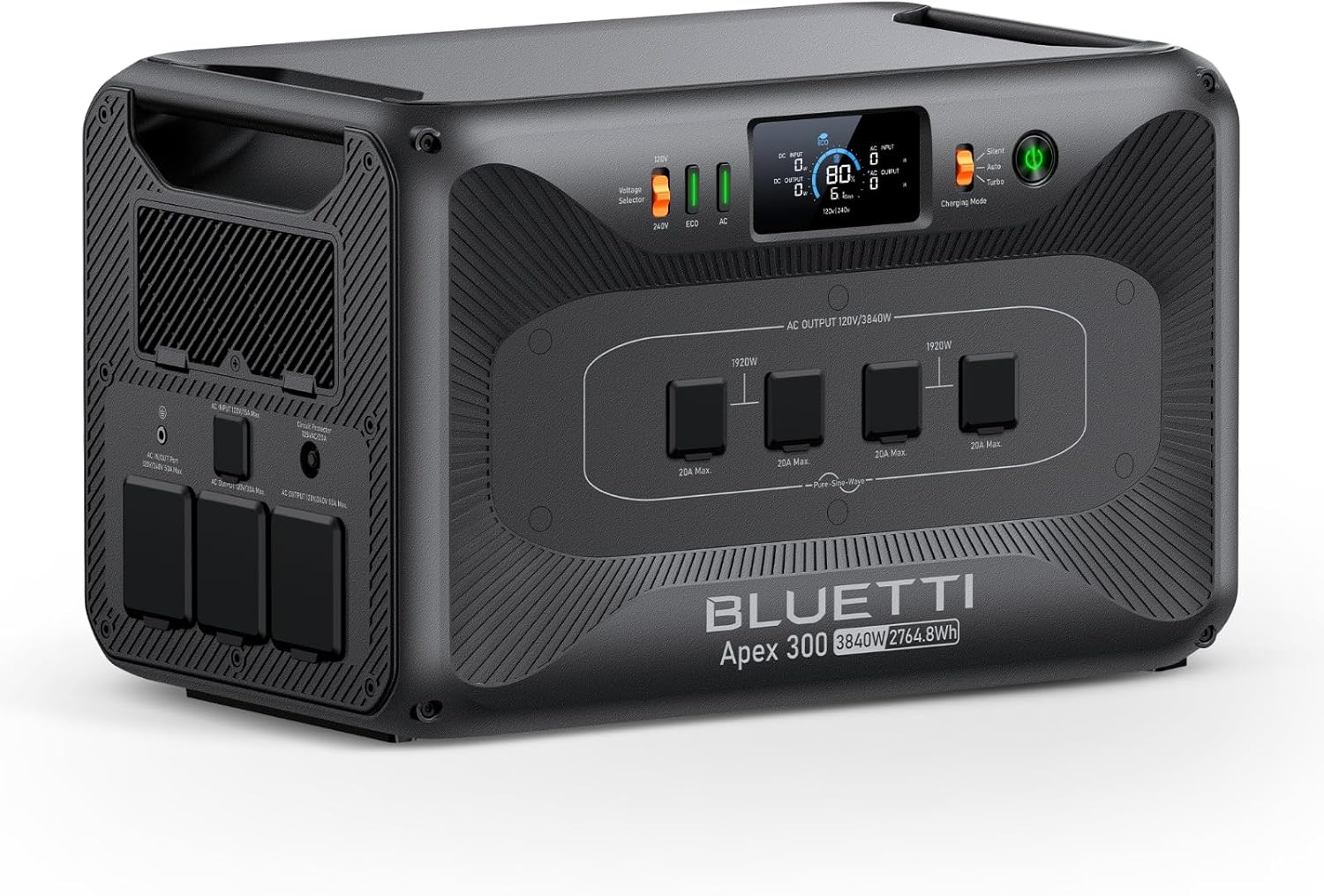
BLUETTI Apex 300 scales from a 2.76 kWh station to an 11.52 kW and 58 kWh system with supported 0 ms and 20 ms modes.
Technical buyers should consider Apex 300 when modular expansion and direct-load continuity outweigh having to do a complicated setup. It can provide 0 ms transfer support but requires a more modular configuration.
- Battery: 2,764.8 Wh LFP per station.
- Output: 3,840 W continuous and 7,680 W surge per unit.
- Expansion: Three units reach 11.52 kW and up to 58 kWh.
- Solar: 2,400 W input per station before added controllers.
- Transfer: 0 or 20 ms depending on integration mode and hardware.
Pros
- Supported configurations offer 0 ms UPS capability.
- The system grows from portable to major home backup.
- The battery carries a 6,000-cycle claim.
- Strong solar input supports recovery.
Cons
- Hub, transfer, battery, cable, and controller selection is complex.
- Amazon review evidence remains extremely limited.
- Some components target other voltage regions.
BLUETTI Apex 300 reviews
The BLUETTI Apex 300 has a 4.7-star rating on Amazon from over 70 reviews. Owners appreciate the outage performance, expandable storage, 240 V support, pass-through charging, and solar inputs, while noting its roughly 85-pound weight, 60 V solar-input limit, and occasional app or support issues.
Should you buy the BLUETTI Apex 300?
You should buy Apex 300 if modularity and a supported 0 ms mode justify careful component planning. You should pass if a simpler, established integration path matters more.
5. Anker SOLIX F3800 Plus + Home Power Panel
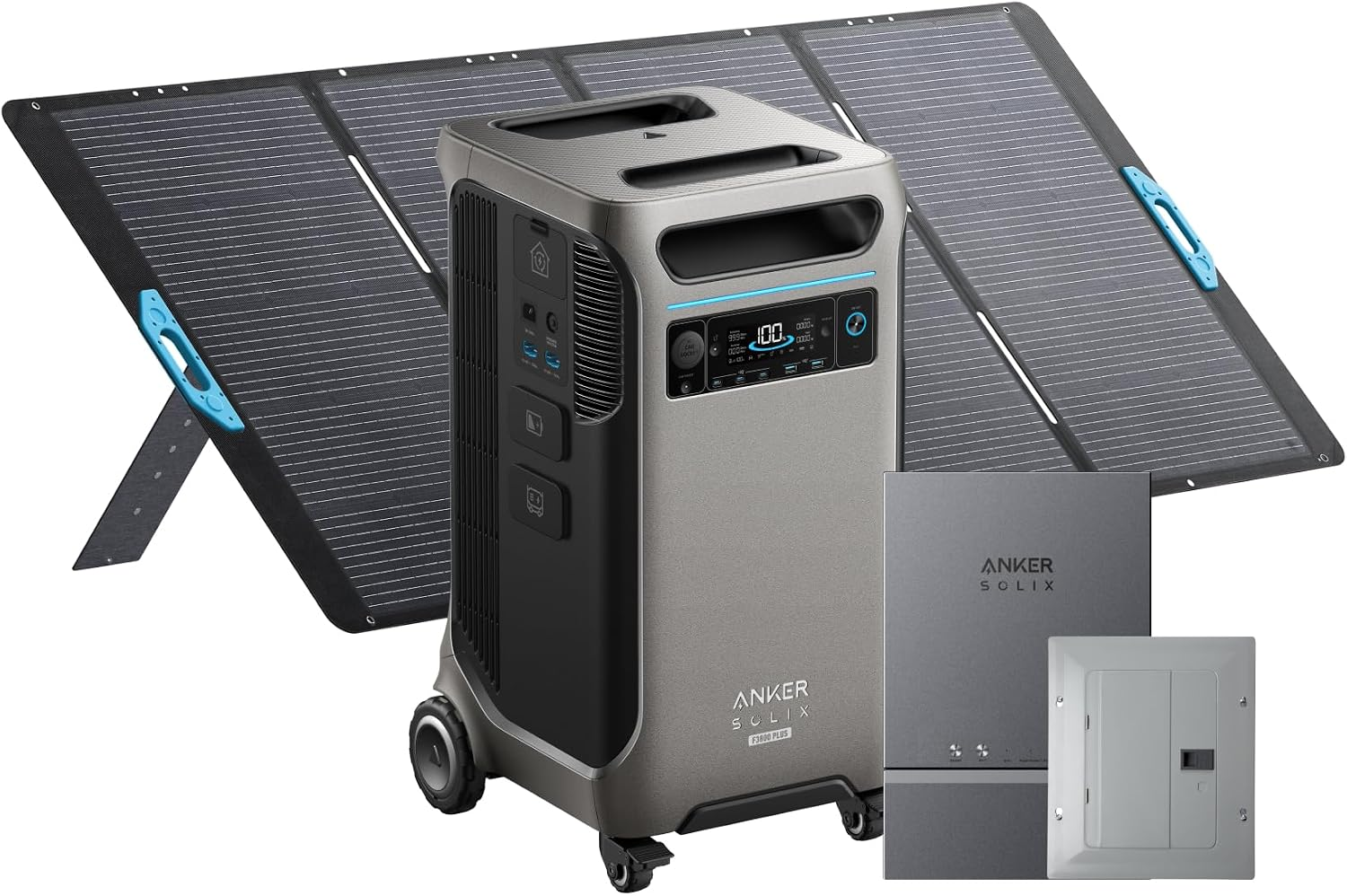
Anker SOLIX F3800 Plus supplies 6 kW split-phase output and 3.84 kWh of movable storage to a 12-circuit critical-load panel.
Homeowners should consider F3800 Plus when selected-circuit coverage, mobility, solar expansion, and a lower equipment price matter more than full 200 A service.
- Battery: 3,840 Wh LFP with expansion to 53.8 kWh.
- Output: 6,000 W per station and 12,000 W with two.
- Voltage: 120/240 V split phase.
- Solar: Up to 3,200 W input.
- Transfer and coverage: About 20 to 30 ms across 12 critical circuits.
Pros
- One movable station supplies strong split-phase output.
- The system costs less than full 200 A platforms.
- Solar and battery expansion support longer outages.
- Home Power Panel transfers critical circuits automatically.
Cons
- The panel does not cover an entire 200 A service.
- Transfer can take longer than the top systems.
- One battery provides short HVAC-heavy runtime.
Anker SOLIX F3800 Plus reviews
Over 130 Amazon reviewers give the F3800 Plus a 4.3-star rating overall. Owners like the 6,000 W output, expandable capacity, home-circuit backup, and flexible solar and generator charging. Complaints center on its weight, packaging, price, and smart features that require Anker’s home power panel.
Should you buy the Anker SOLIX F3800 Plus?
You should buy F3800 Plus if 12 selected circuits and movable hardware cover the home. You should pass if automatic 200 A whole-panel coverage or longer base runtime is required.
How outages change your whole-home UPS decision
Winter Storm Fern affected more than 1,005,641 customers at peak, and some areas remained dark beyond six days. Fast transfer protects continuity, but multi-day smart-home protection also needs enough kWh, load shedding, and recharge support.
Hurricane Helene affected 4.79 million customers, with western North Carolina outages reaching 14 days. Extended failures favor expandable storage, solar or generator input, and circuit priorities over a small battery with a fast switch. Estimate the required energy with measured loads and our home battery runtime guide.
How to choose a whole-home UPS for smart-home protection
Compare hardwired transfer, direct-load online UPS mode, split-phase output, motor surge, usable energy, and more to pick the right battery system.
- Transfer: Consider the exact switchover timing for the complete installed configuration.
- Output: Match continuous kW and motor-start current before comparing battery capacity.
- Coverage: Choose between 200 A whole-panel service and a 12-circuit critical-load panel.
- Energy: Compare usable kWh, reserve, solar, generator support, and load shedding.
- Sensitive devices: Put an online UPS downstream of routers, ONT, NAS, PoE switches, alarm controls, workstations, and approved medical equipment. Medical users should also follow a dedicated medical-equipment backup plan.
- Installation: Obtain a complete electrician quote covering hardware, permits, panel work, commissioning, and warranty. Use the whole-home backup cost guide to compare equipment pricing with the complete installed figure.