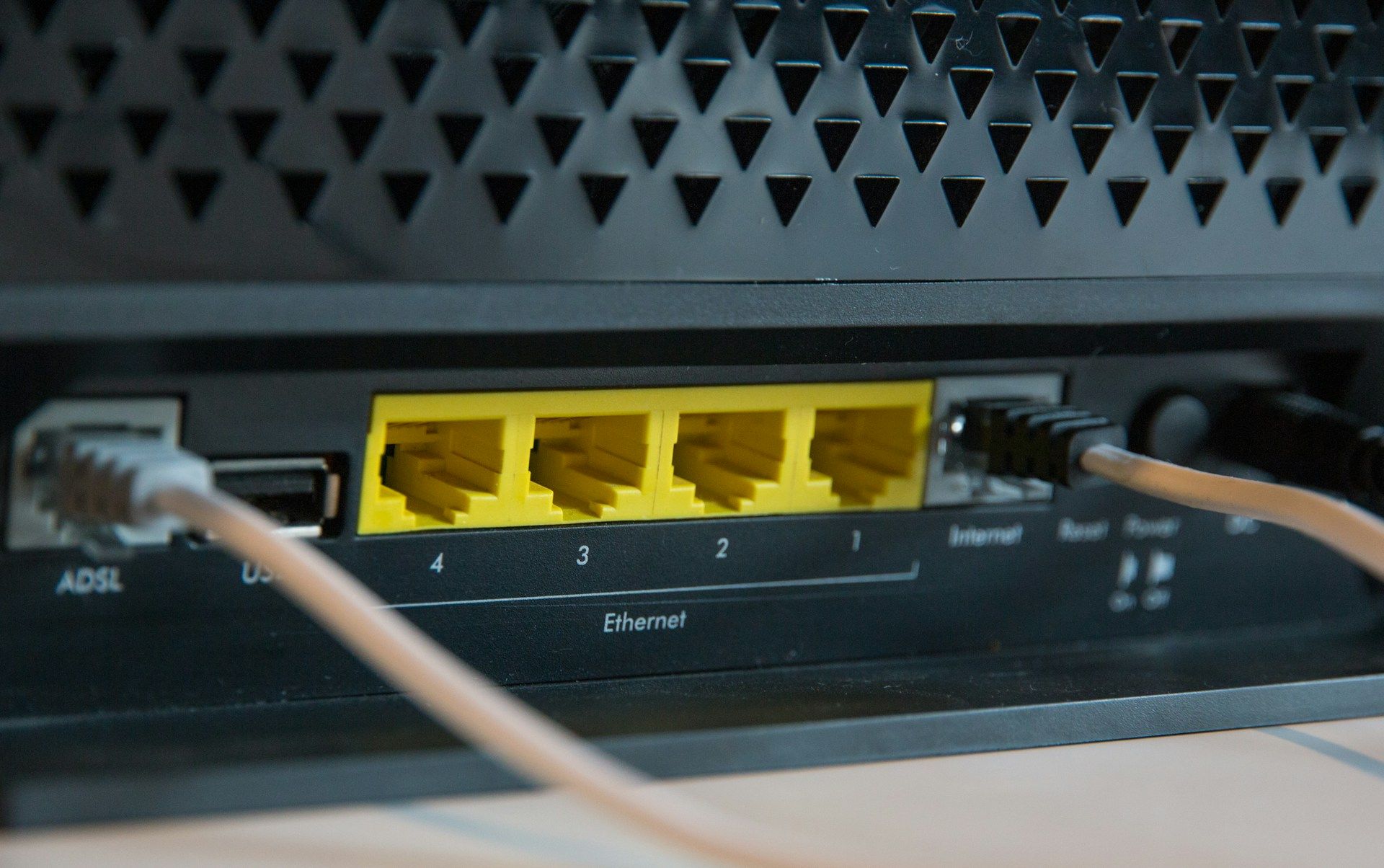


Routers and modems draw 10 to 25 watts each. So even a modest UPS gives you an hour or more of runtime for your home internet equipment, at a fraction of what full home battery backup systems cost. Most residential outages without a major storm event average around two hours nationally, according to EIA data, so a 1,000VA UPS covers most common blackout scenarios pretty well.
At PowerOutage.us, we monitor 950+ utilities covering more than 200 million U.S. customers, and our outage data refreshes every 10 minutes during live events. That monitoring shapes the duration scenarios in this guide and can help you plan backup and charging for the next event.
5 Best UPS battery backups for routers and modems
Routers and modems need less battery capacity than most home electronics, but they need it reliably. The five picks below are based on router-specific runtime, transfer speed, and AVR availability. Runtime figures apply to a 20-watt load representing a typical cable modem and WiFi router only, without powering anything else. All five options below have user-replaceable batteries.
1. CyberPower LE1000DG
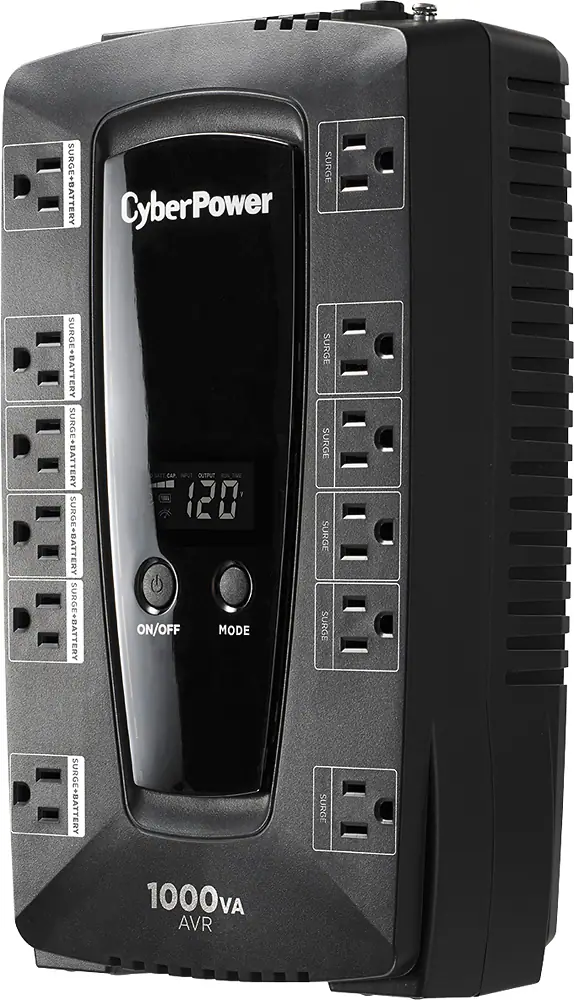
The CyberPower LE1000DG is the best overall UPS for keeping a home router and modem online during a power outage.
What do you get with this UPS?
The LE1000DG combines premium-tier features with a compact, desk-friendly chassis at a mid-range price.
- Run time at 20W (modem and router only): 3 hours
- Run time at 300W (modem, router, PC, and hard drive): 12 minutes
- Max output: 530 watts continuous
- Battery-backed outlets: 6 of 12 total
- Transfer speed: 4 milliseconds
- Surge protection: 544.4 let-through volts from a 5,000-volt test surge
- AVR: Yes
- User-replaceable battery: Yes
- Screen: Backlit LCD showing battery life, run time, and input/output voltage
- Cord length: 5 feet with a flat 45-degree plug
- Software: CyberPower PowerPanel Personal, free download
- Warranty: 3 years
- Price: Around $140
CyberPower LE1000DG pros and cons
The LE1000DG earns its top-pick status through a combination of runtime, protection quality, and usability.
Pros
- AVR absorbs voltage dips and brownouts without touching the battery, which extends battery lifespan over time
- 4-millisecond transfer speed means connected routers and modems don't register any interruption when grid power cuts
- Six battery-backed outlets handle a modem, router, desktop PC, and external hard drive simultaneously
- User-replaceable battery costs $30 to $60 to swap out, extending the unit's lifespan without buying a whole new one
Cons
- Modified sine-wave output isn't great for medical equipment requiring pure AC power or for sensitive audio gear
- No USB-A or USB-C ports for charging handheld devices, unlike the upgrade pick below
Should you buy the CyberPower LE1000DG?
The CyberPower LE1000DG is the right buy for most households. It delivers three hours of router and modem runtime, AVR, and six battery-backed outlets for under $140. If you only need one UPS for your home network, this is the one to get.
Buy it if:
- You want the longest runtime available at this price point, with three hours covering most short to moderate outages
- You want AVR so brownouts don't wear down the battery over time
- You're powering a modem and router, and maybe a desktop PC or hard drive, on the six battery-backed outlets
- You don't need USB charging ports built into the UPS itself
Skip it if:
- You need USB-A and USB-C charging ports on the unit. The CP1350AVRLCD3 upgrade pick covers that.
- You run medical equipment that needs pure AC power, since the modified sine-wave output isn't suited for that
- The LE1000DG is out of stock. The AVRG900LCD is a direct substitute at the same price.
2. CyberPower CP1350AVRLCD3
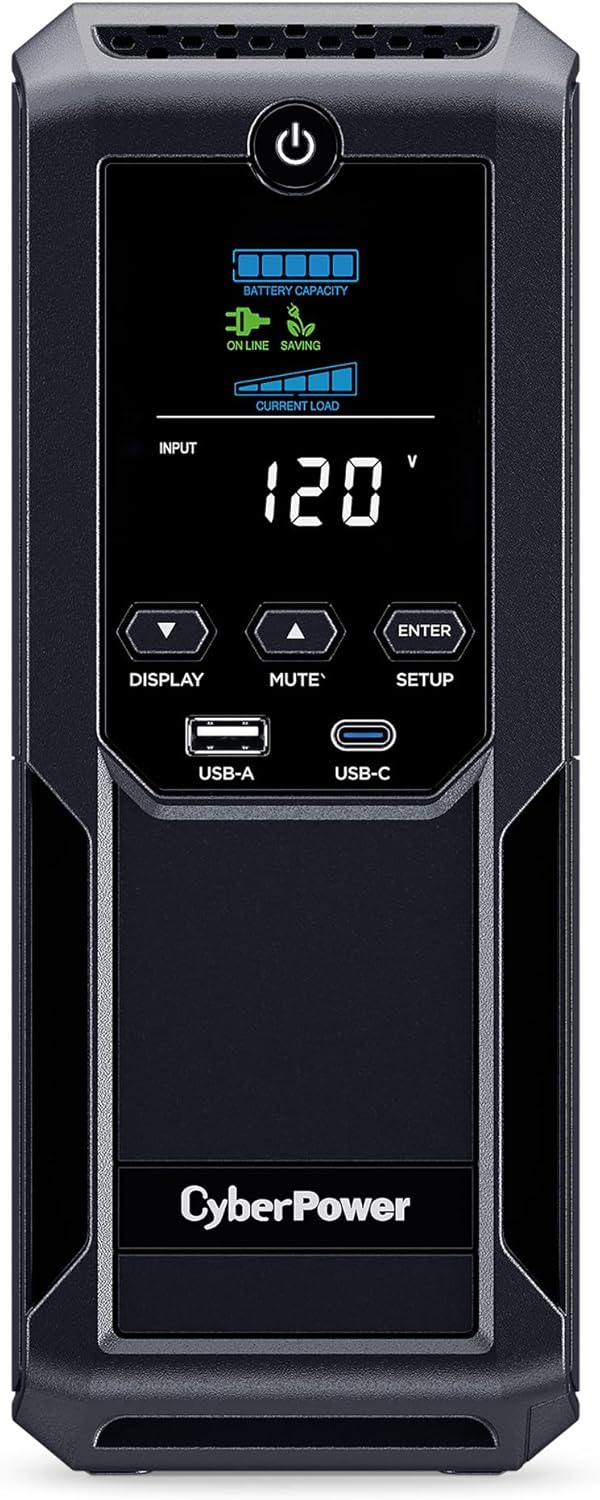
The CyberPower CP1350AVRLCD3 is the best upgraded UPS for home networks with multiple access points, a desktop computer, or a NAS device that all need battery backup.
What do you get with this UPS?
The CP1350AVRLCD3 adds connectivity options and longer runtime on top of the same core protection as the LE1000DG.
- Run time at 20W (modem and router): 4.5 hours
- Run time at 300W (modem, router, PC, and hard drive): 21 minutes
- Max output: About 810 watts continuous
- Battery-backed outlets: 6 of 12 total
- Transfer speed: 4 milliseconds
- Surge protection: 526.8 let-through volts
- AVR: Yes
- User-replaceable battery: Yes
- Screen: Backlit LCD with input voltage, output wattage, and remaining battery life
- USB ports: 1 USB-A and 1 USB-C on the front panel
- Coaxial connectors: 2 on the back panel for cable modem or satellite receiver
- Ethernet ports: 2
- Cord length: 6 feet with a flat right-angle plug
- Warranty: 3 years
- Price: Around $196
CyberPower CP1350AVRLCD3 pros and cons
The CP1350AVRLCD3 has the longest router runtime in this list and the most ports, so it's a solid fit for home offices or multi-device network setups.
Pros
- Front USB-A and USB-C ports charge phones and headphones without eating up a battery-backed outlet
- LCD screen shows real-time wattage draw, so you can see exactly how much load your connected devices pull
- 6-foot cord gives you more placement flexibility than the standard 5-foot cord on most other picks
- Coaxial connectors on the back panel protect cable modem inputs without an additional adapter
Cons
- At 23.8 pounds it's the heaviest unit in this list, and it stands upright like a small PC tower rather than lying flat
- Modified sine-wave inverter still applies here, so it's not suitable for medical devices requiring pure AC power
Should you buy the CyberPower CP1350AVRLCD3?
The CyberPower CP1350AVRLCD3 is worth the extra $56 over the LE1000DG if your home network needs more than basic modem and router backup. It delivers 4.5 hours of runtime, USB charging ports, and coaxial connectors for $196. It's the pick for home offices and multi-device setups.
Buy it if:
- You're running multiple access points, a desktop computer, or a NAS device alongside your modem and router
- You want front-panel USB-A and USB-C ports to charge phones without using a battery-backed outlet
- You want coaxial connectors for a cable modem or satellite receiver without buying an adapter
- You want the longest runtime in this list at 4.5 hours
Skip it if:
- You only need to keep a modem and router online. The LE1000DG covers that for $56 less.
- Floor space or a flat-lying chassis matters to you, since the CP1350AVRLCD3 stands upright at 23.8 pounds
- You run medical equipment needing pure AC power, since this still uses a modified sine-wave inverter
3. CyberPower AVRG900LCD
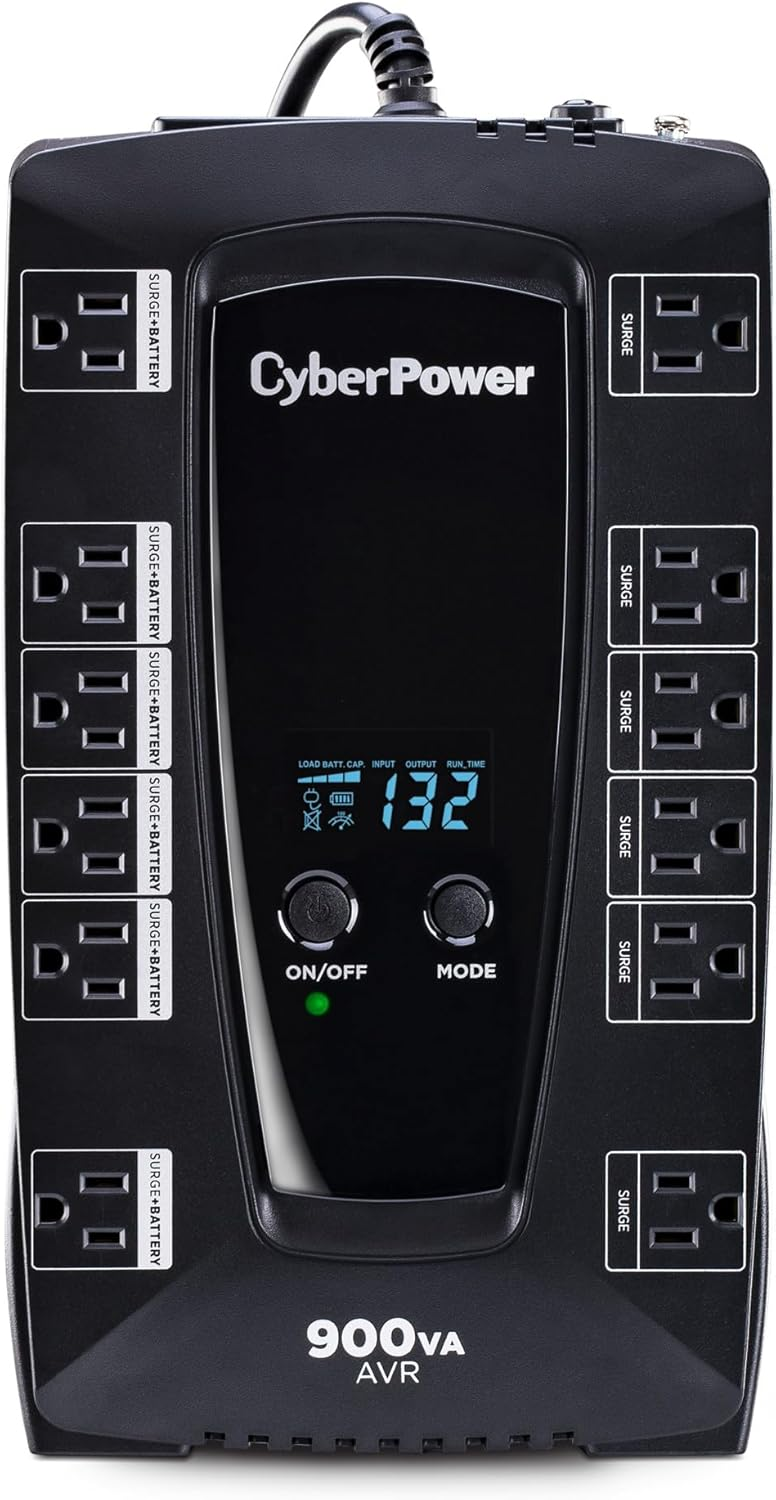
The CyberPower AVRG900LCD is the best substitute when the LE1000DG is out of stock. It shares the same AVR architecture, 12-outlet configuration, 5-foot cord, and 3-year warranty as the top pick, at the same $140 price point.
What do you get with this UPS?
The AVRG900LCD pretty much mirrors the LE1000DG in most practical respects, offering the same core protection profile in a slightly different chassis.
- Battery-backed outlets: 6 of 12 total
- AVR: Yes
- Transfer speed: 4 milliseconds
- Screen: Backlit LCD
- Cord length: 5 feet
- User-replaceable battery: Yes
- Software: CyberPower PowerPanel Personal, free download
- Warranty: 3 years
- Price: Around $140
CyberPower AVRG900LCD pros and cons
The AVRG900LCD is a direct backup option for the LE1000DG rather than a meaningfully different product. Buy it when the LE1000DG is unavailable at the same price, but not instead of it when both are in stock.
Pros
- Same AVR, 12-outlet layout, and 4-millisecond transfer speed as the LE1000DG
- 3-year warranty provides the same long-term coverage as CyberPower's other mid-range models
- Backlit screen displays battery status and run time in the same way as the LE1000DG
Cons
- Surge protection clamping may be marginally less effective
- Fewer widely available third-party user reviews make long-term reliability comparison harder than for the LE1000DG
Should you buy the CyberPower AVRG900LCD?
The CyberPower AVRG900LCD makes sense only as a stand-in for the LE1000DG. It matches the same AVR, outlet count, transfer speed, cord length, and warranty at the same $140 price. Buy it when the LE1000DG isn't available, not as a separate choice.
Buy it if:
- The LE1000DG is out of stock and you need the same core protection profile right away
- You want the same AVR, 12-outlet layout, and 4-millisecond transfer speed as the top pick at the same price
Skip it if:
- The LE1000DG is in stock, since it has more third-party reviews backing its long-term reliability
- You want the strongest surge protection available, since the AVRG900LCD's clamping may be marginally less effective
4. Amazon Basics Standby UPS 800VA
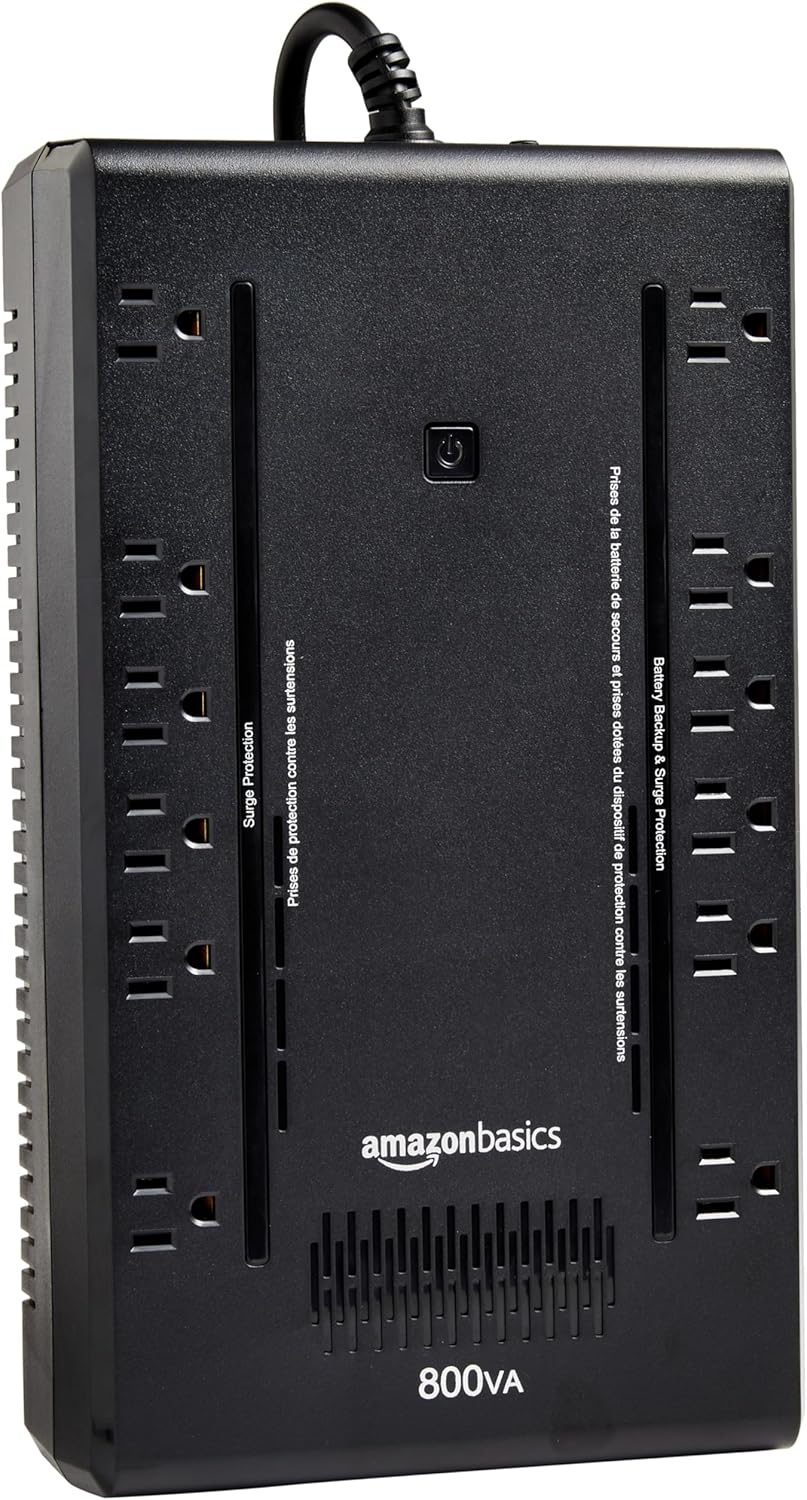
The Amazon Basics Standby UPS 800VA is the best budget pick for keeping a router and modem online for up to 90 minutes during a short outage.
What do you get with this UPS?
The Amazon Basics unit strips out premium features but keeps the outlet count and user-replaceable battery you'd find on pricier picks.
- Run time at 20W (modem and router): 1.5 hours
- Run time at 300W (modem, router, PC, and hard drive): 6 minutes
- Max output: 470 watts
- Battery-backed outlets: 6 of 12 total
- Transfer speed: 8 milliseconds
- Surge protection: 402.8 let-through volts
- AVR: No, standby/offline topology
- User-replaceable battery: Battery replacement support is available depending on the specific model revision and enclosure design.
- Screen: None, single LED indicator
- Weight: Around 9 pounds
- Cord length: 5 feet with a flat right-angle plug
- Software: Free download available
- Warranty: 1 year
- Price: Around $87
Amazon Basics Standby UPS 800VA pros and cons
The Amazon Basics unit is the most affordable way to keep a router and modem online, but the no-AVR design creates real constraints for homes with frequent brownouts or multi-hour outages.
Pros
- 12 outlets with 6 battery-backed matches the outlet count of pricier picks at under $90
- 9-pound chassis is the lightest in this list and easy to tuck on a shelf or nightstand
- Ninety-minute runtime covers most brief residential outages
- Surge protection of 402.8 let-through volts is better than most UPS units in its price class
Cons
- No AVR means every brownout draws directly on the battery, which degrades it faster than AVR-equipped models over time
- 8-millisecond transfer speed is twice as slow as the CyberPower picks, which creates a small risk of router reboot during the switch
Should you buy the Amazon Basics Standby UPS 800VA?
The Amazon Basics Standby UPS 800VA is the right buy for budget-conscious households in areas with brief, infrequent outages. It delivers 90 minutes of router and modem runtime for around $87 with no AVR or screen. It's a reasonable tradeoff when frequent brownouts aren't a concern.
Buy it if:
- Your outages are brief and infrequent, and 90 minutes of runtime covers what you typically see
- Budget is the deciding factor and you don't need AVR or a backlit screen
- You want the lightest unit in this list at 9 pounds for easy placement
Skip it if:
- Your area sees frequent brownouts. The lack of AVR will degrade the battery faster over time.
- You want the fastest transfer speed, since the 8-millisecond switch is twice as slow as the CyberPower picks
- You want more than a one-year warranty. The CyberPower picks offer three years for not much more money.
5. APC BE600M1
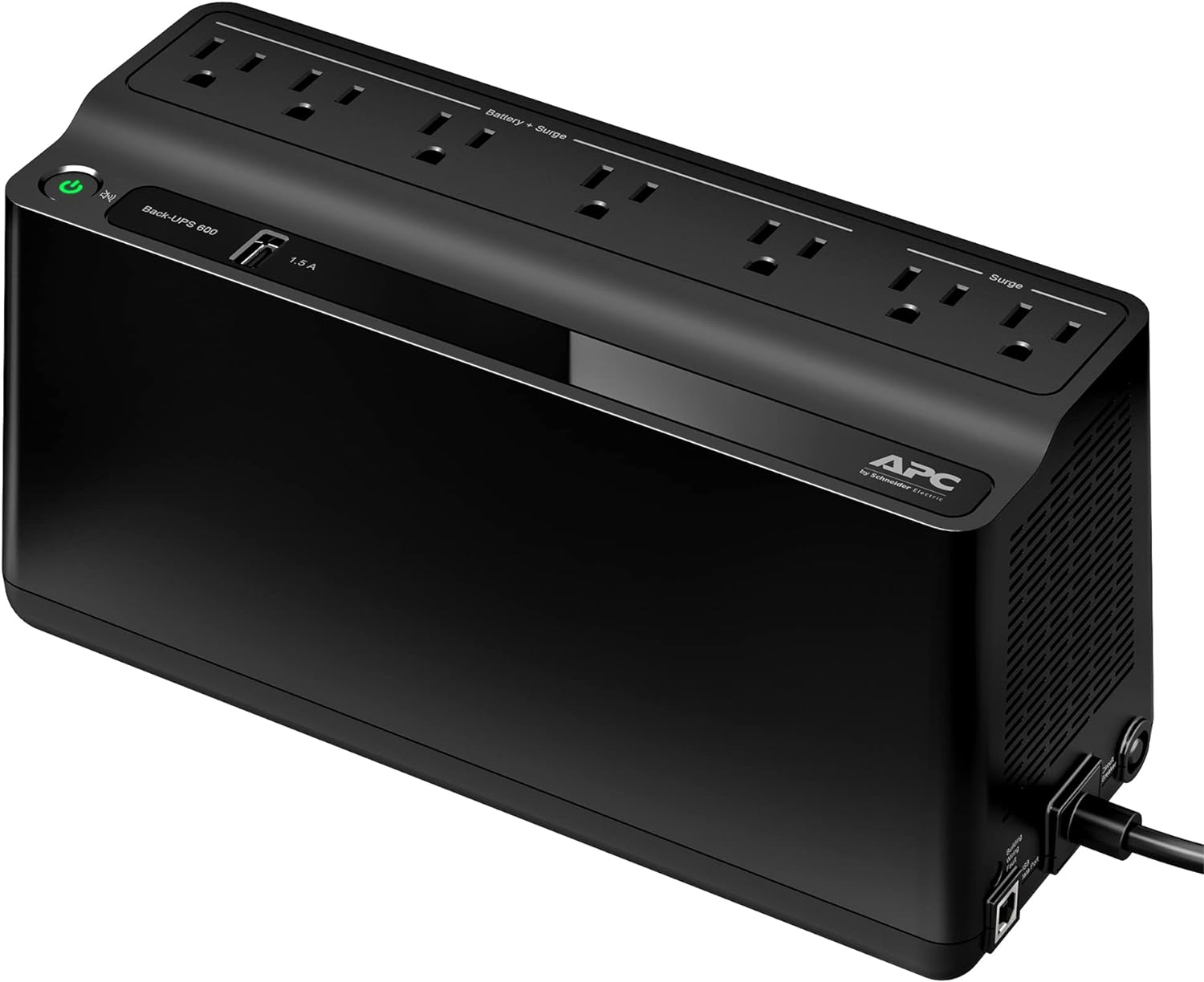
The APC BE600M1 is the best compact UPS for a single-modem, single-router setup where space is the primary constraint.
What do you get with this UPS?
The BE600M1 prioritizes size and simplicity over capacity, targeting basic modem and router setups with minimal additional load.
- Capacity: 600VA/330W
- Battery-backed outlets: 5 battery backup plus surge-protected outlets and 2 additional surge-only outlets
- USB charging port: Yes, USB-A for handheld device charging
- AVR: No, standby topology
- User-replaceable battery: Yes
- Cord length: 5 feet
- Warranty: 2 years
- Price: Around $60 to $80
APC BE600M1 pros and cons
The BE600M1 is the most space-efficient UPS in this list. It's the right pick when compact placement matters more than extended runtime.
Pros
- Chassis fits in tight spaces where a larger UPS wouldn't, useful for media closets and entertainment centers
- USB-A charging port charges a phone without using up one of the battery-backed outlets
- APC is a well-established UPS brand with broad replacement battery availability
Cons
- 330W maximum output limits the unit to a modem and router only. Adding a desktop PC or NAS device alongside either one will overload it.
- No AVR means brownouts draw directly on the battery, which shortens battery lifespan in areas with frequent voltage dips
Should you buy the APC BE600M1?
The APC BE600M1 is the right buy when a compact footprint matters more than runtime. Its 600VA/330W capacity fits on a shelf, nightstand, or inside a media cabinet while keeping a modem and router online for 30 to 60 minutes. It's a tight fit for tight spaces, not a long-runtime pick.
Buy it if:
- Space is your primary constraint and you need a UPS that fits in a media closet or on a nightstand
- You're powering a modem and router only, with no plans to add a desktop PC or NAS
- You want USB-A charging built in without giving up a battery-backed outlet
Skip it if:
- You want to power a desktop PC or NAS alongside your modem and router, since 330W maximum output will overload it
- You live somewhere with frequent voltage dips. The lack of AVR shortens battery life faster.
- You need more than 30 to 60 minutes of runtime. The LE1000DG or CP1350AVRLCD3 cover longer outages.
How we ranked these UPS battery backups
We ranked these UPS units for one specific situation: keeping a home router and modem online during a power outage. We combined manufacturer specs, published surge and runtime test results, and consumer reviews, then weighed all of that against what our outage data says people actually deal with when the grid goes down.
Here's what mattered most, in order:
- Router and modem runtime at a realistic 20-watt load. This got the heaviest weight, since runtime at full load (powering a PC and hard drive too) tells you little about how long a UPS keeps a router and modem online by themselves. Units with longer 20-watt runtime ranked higher.
- Outage-duration fit. PowerOutage.us tracks outages across 950+ utilities in real time, and that data shaped our duration assumptions. Most residential outages without a major storm average around two hours, so we favored units that comfortably cover that window, with credit for units that scale to longer events.
- AVR availability. A UPS that stays plugged in permanently benefits from automatic voltage regulation, since it absorbs brownouts without drawing on the battery. Units with AVR ranked above standby-only units at similar price points.
- Transfer speed. A faster transfer speed means less risk of a router or modem rebooting when the UPS switches to battery power. The 4-millisecond units in this list ranked above the 8-millisecond unit on this point.
- Outlet count and connectivity. Battery-backed outlet count, USB charging ports, coaxial connectors, and Ethernet ports all factored in, since they determine how many devices a unit can support and how much added convenience it offers.
- Surge protection. We compared published let-through voltage figures from standardized surge tests. Lower let-through voltage scored better.
- Cost. We weighed price against the runtime, AVR, and connectivity each unit delivers, so budget picks could compete fairly against premium ones on a dollar-per-feature basis.
- Warranty and battery replaceability. Longer warranties and user-replaceable batteries extend a unit's useful life and scored higher.
Do you need a UPS, or will a surge protector cover your router?
A surge protector alone won't keep your router and modem online during a blackout, so if staying connected through an outage matters to you, a UPS is the right buy over a surge protector. Surge protectors clamp high-voltage transients from lightning strikes or grid switching events before they reach connected equipment. But they don't supply any backup power.
When grid power fails, a surge protector-equipped router shuts off instantly. A UPS adds a sealed battery and an inverter behind the surge-protected outlets. When grid power cuts, the inverter converts stored DC battery power to AC power within 4 to 8 milliseconds. Connected routers and modems run without interruption throughout that switch.
A lot of people assume a router's wall adapter offers some protection against surges or outages. It doesn't. A wall adapter supplies regulated DC to the router but provides no surge clamping and no backup power. For both outage protection in emergencies and surge protection in one device, a UPS is the right choice. A surge protector alone isn't a substitute.
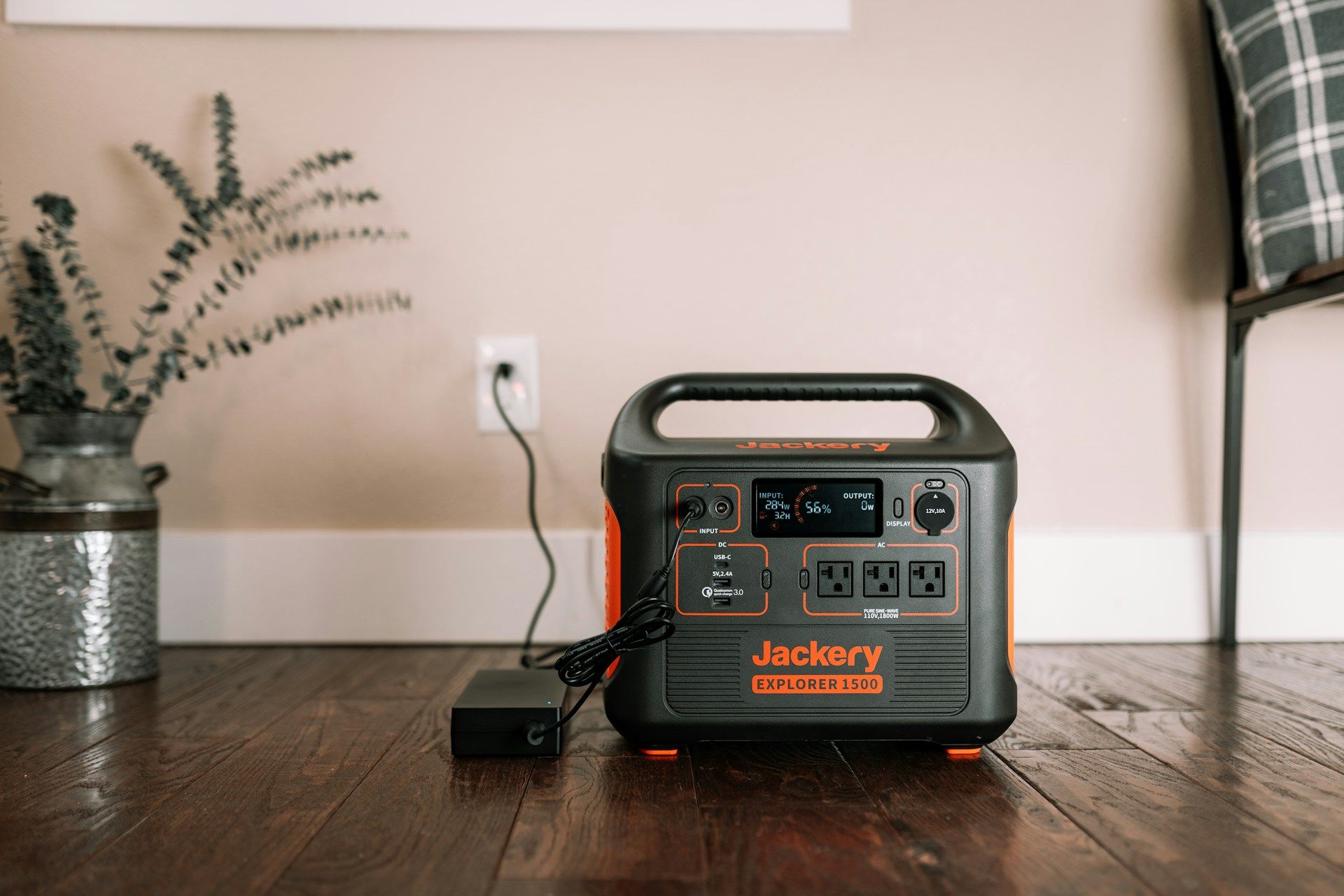
Also, a UPS and a portable power station serve pretty different use cases for home internet.
- A UPS offers millisecond transfer speeds that prevent router reboots, making it the right choice for a permanently installed modem and router.
- A portable power station offers hours of runtime for multiple devices but switches to battery in 10 to 30 milliseconds, which may briefly interrupt a router before it reconnects.
For CPAP machines and other medical devices that need truly uninterrupted power, see our medical device power outage checklist for additional steps.
Is a router UPS worth it if your outages are short, or do you need more?
A router UPS is worth buying if your outages tend to cycle on and off or run a few hours, and it's the right first step before a larger generator or home battery system for longer events. It matters most during events where grid power cycles on and off, or where brief outages repeat over hours rather than resolving in minutes.
During Hurricane Milton in October 2024, PowerOutage.us tracked grid restoration windows as short as 30 minutes before power failed again across large portions of Florida. In that cycling scenario, a modem and router without a UPS reset each time power flickered. Every reboot meant several minutes offline while the modem re-synced with the ISP.
A router UPS kept those devices online through each brief interruption, maintaining internet access for communication, emergency alerts, and connected smart home systems throughout the event.
Winter Storm Fern in January 2026 cut power to more than 1,005,641 customers at peak across the Southeast, with some Tennessee and Mississippi residents going 6 or more days without restoration. For an outage of that length, a router UPS handles the first two to three hours while a larger generator or home battery system covers the rest.
According to EIA Electric Power Annual data, U.S. customers averaged 11 hours of outage time in 2024, with South Carolina alone averaging nearly 53 hours. A router UPS is the right tool for the short end of that range. For multi-day coverage, a whole-home generator or battery backup is the appropriate follow-on solution.
Quick recap
To wrap up, the CyberPower LE1000DG is the best UPS for home internet. It keeps a modem and router online for three hours with AVR, 12 outlets, and a 4-millisecond transfer speed, for $140. The CP1350AVRLCD3 extends that to 4.5 hours for $196. The Amazon Basics 800VA covers brief outages on a budget, and the APC BE600M1 is best when space is the primary constraint.