

PowerOutage.us tracks more than 950 utilities serving over 200 million customers, so our rankings weigh how outages actually start and how long they actually run. Capacity and outlet count drive every pick in this home camera battery backup guide, so your cameras and alarm panel stay powered through the outage.
How we ranked these battery backups
We built this ranking from manufacturer specs, aggregated owner and Amazon reviews, and PowerOutage.us outage data.
- Capacity and outlet or port count: We ranked these first, since a security system's whole job is uninterrupted recording.
- Runtime at full load: We weighted the runtime next, since two units with a similar capacity can still differ in how long they actually carry a full load.
- Price: We weighted price last, after capacity and runtime, since a cheap unit that can't cover your actual device draw isn't worth it.
Our picks span four product types. Picks 1 and 2 are standard AC UPS units with battery-backed outlets, the right fit for a router, NVR, or DVR that plugs into a wall. Pick 3 is a large-capacity portable power station built for hours of runtime instead of minutes. Pick 4 is a dedicated 12V DC supply built for PoE cameras with no AC inverter step. Pick 5 is an expandable whole-home battery system.
Compare home camera battery backups
See how our picks compare on capacity, outlets, runtime, and price.
| Battery backup | Capacity/output | Outlets/ports | Runtime at full load | Price |
|---|---|---|---|---|
| Tripp Lite INTERNET750U | 750 VA/450 W output | 12 total, 6 battery-backed | Up to 36 min (light load) | $120 to $150 |
| APC Back-UPS Pro BX1500M | 1,500 VA/900 W output | 10 total, 5 battery-backed | 8 to 12 min (heavier load) | $150 to $250 |
| Anker SOLIX C1000 Gen 2 | 1,024 Wh capacity | 5 AC outlets, 5 USB/DC ports | Sub-10ms switchover, hours of runtime | $350 to $550 |
| PoE Texas UPS-12v12w | 12 V DC output | 1 DC barrel output | Up to 2.5 hours | Under $20 |
| Anker SOLIX F3800 Plus | 3,840 Wh (expandable to 53.8 kWh) capacity | 8 AC outlets, 5 USB/DC ports | Sub-20ms switchover, up to multiple days | $2,200 to $2,700 |
5 Best battery backups for home security cameras and systems
Next, we compare our five picks in detail.
1. Tripp Lite INTERNET750U
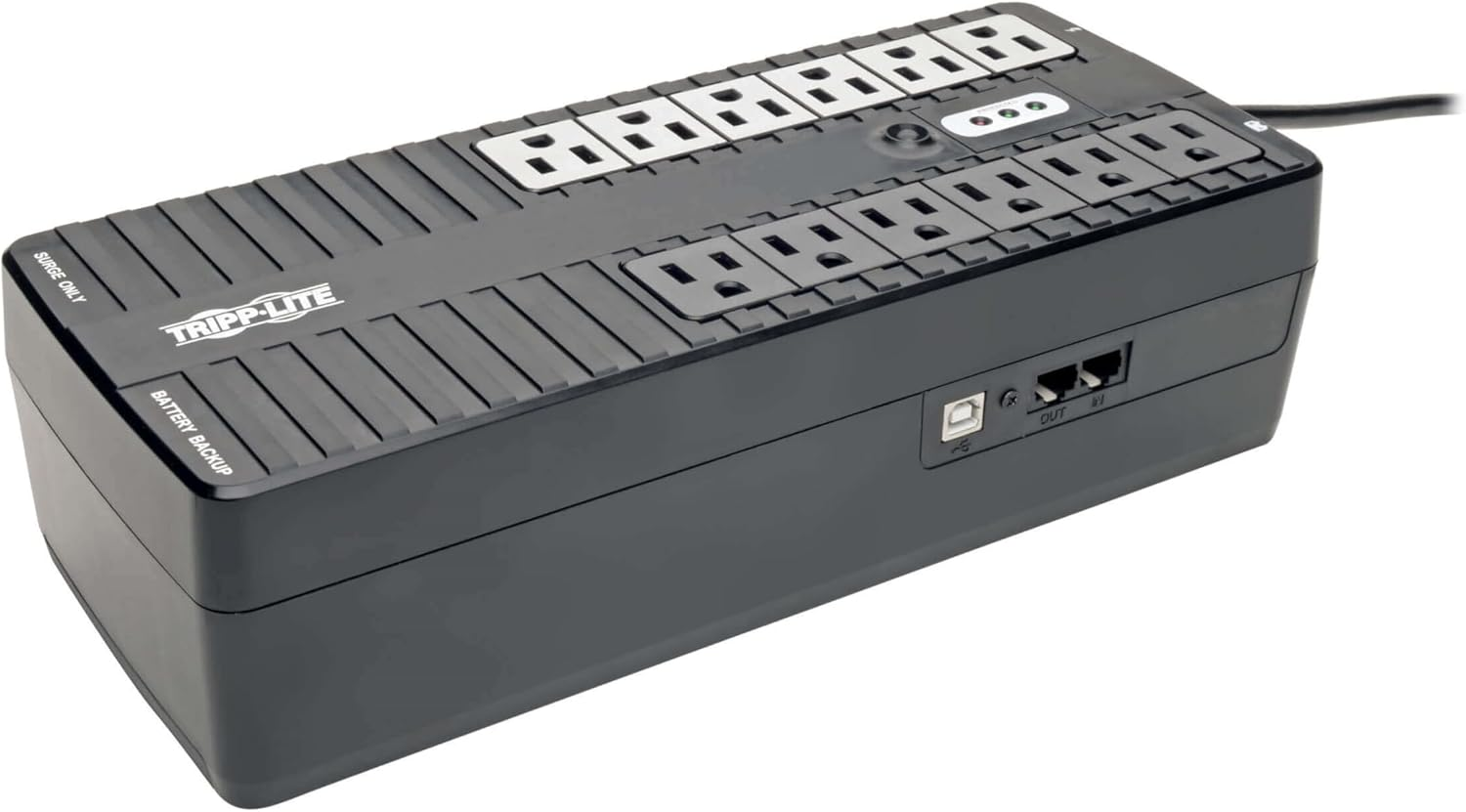
The Tripp Lite INTERNET750U pairs a 450 W ceiling with 6 battery-backed outlets, and the manufacturer markets it directly for routers, NAS drives, and DVRs, not just desktop PCs.
If your setup is a router, a modem, and an NVR or DVR recording locally, this unit covers all three without you overpaying for capacity you don't need. The USB port pairs with free PowerAlert software for an unattended shutdown if an outage runs longer than the battery, and the compact case fits a shelf near your router instead of taking up floor space.
- 750 VA/450 W output
- 12 total outlets, 6 battery-backed and surge-protected
- Up to 36 minutes of runtime for a light load
- USB port for PowerAlert monitoring and shutdown
Pros
- Manufacturer-targeted for routers and DVRs, not just PCs
- Compact, ultra-thin case fits a shelf
- 3-year warranty plus $100,000 equipment insurance
Cons
- 12-outlet spacing runs tight for units with large power-supply bricks
- Not enough capacity for a PoE switch and multiple cameras on top of the router and NVR
Tripp Lite INTERNET750U reviews
The INTERNET750U holds 4.4 stars across over 200 ratings on regional Amazon listings. Owners buying it for a home office or security setup report it reliably rides out short outages for a router, modem, and small NVR. The recurring complaint is that bulky plugs don’t fit in the outlet spacing.
Should you buy the Tripp Lite INTERNET750U?
You should buy the INTERNET750U if your security setup is a router, modem, and NVR or DVR, and you want a compact unit built for exactly that job. You should pass on it if you're also running a PoE switch or a local monitor off the same battery, since the BX1500M covers that larger stack instead.
2. APC Back-UPS Pro BX1500M
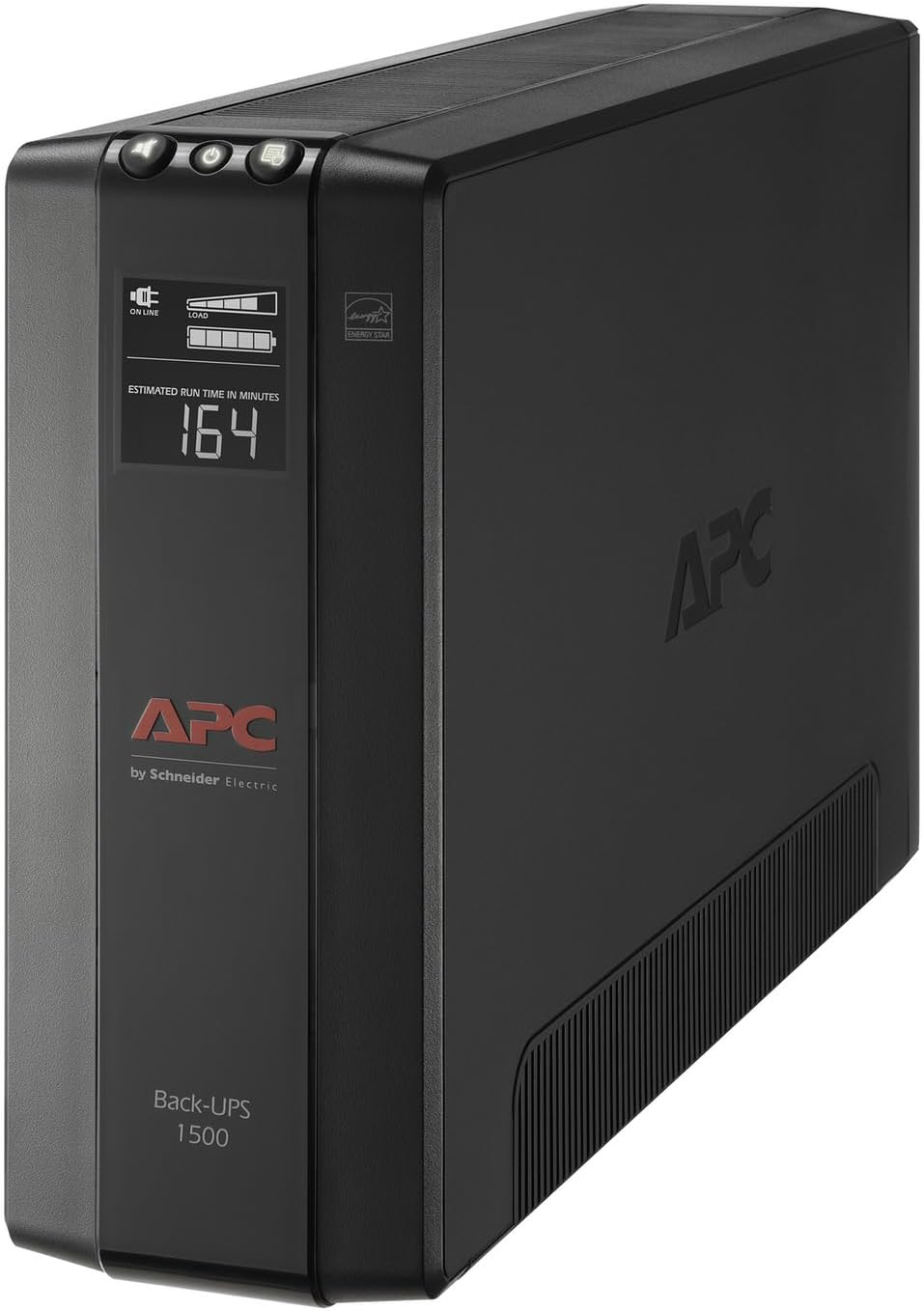
The APC Back-UPS Pro BX1500M steps up to 900 W and 10 outlets, with built-in coaxial and Ethernet surge protection on top of the battery backup.
If your security stack includes a router, an NVR, a PoE switch, and a monitor for local review, the BX1500M's capacity and outlet count cover the whole setup on one unit. Owners report 8 to 12 minutes of runtime at that heavier combined load, and the LCD display makes checking battery status simple.
- 1,500 VA/900 W output
- 10 total outlets, 5 battery-backed and surge-protected
- 8 to 12 minutes of runtime at a heavier combined load
- Built-in coaxial and Ethernet surge protection
Pros
- Enough capacity for a router, NVR, PoE switch, and monitor together
- LCD display makes battery status easy to check
- 3-year warranty plus an APC equipment protection policy
Cons
- Large power-supply plugs don't fit every outlet position well
- A few owners report a slow manufacturer RMA process
APC Back-UPS Pro BX1500M reviews
The BX1500M averages around 4.5 stars across 13,000 Amazon reviews, with roughly 88% positive feedback on Amazon. Owners running a full security stack describe the capacity and outlet count as enough to cover everything without splitting devices across two UPS units. Complaints center on the outlet fit for bulky plugs and occasional slow service.
Should you buy the APC Back-UPS Pro BX1500M?
You should buy the BX1500M if your security setup includes a PoE switch or a local monitor on top of the router and NVR. You should pass on it if you only need to cover a router and one NVR, since the INTERNET750U does that job for less.
3. Anker SOLIX C1000 Gen 2
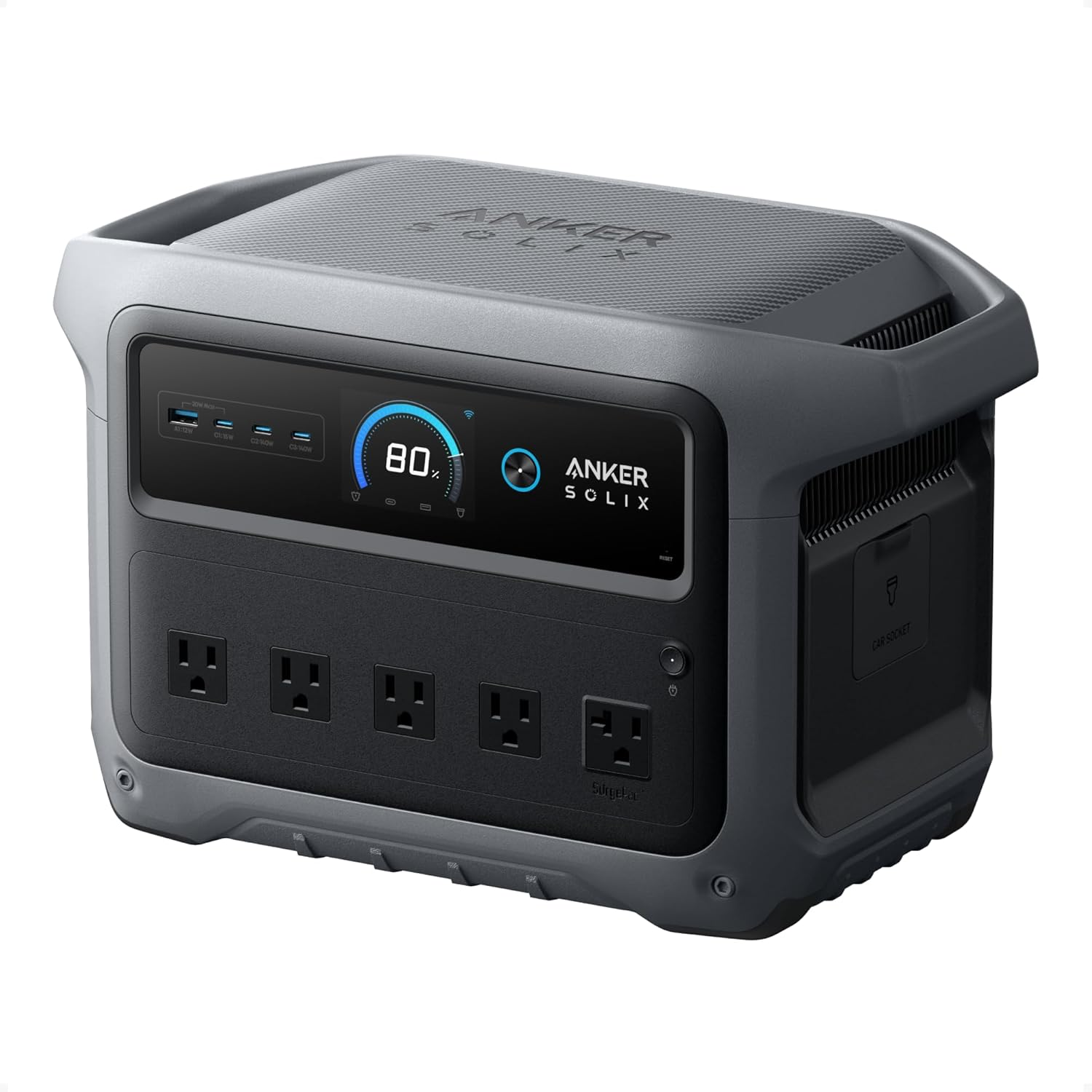
The Anker SOLIX C1000 Gen 2 packs a 1,024 Wh LiFePO4 battery behind a sub-10ms UPS switchover, enough to run a full router-and-NVR stack for hours.
The C1000 Gen 2’s 5 AC outlets and 2,000 W output cover a router, NVR, and PoE switch together without the size or price of a whole-home system. The sub-10ms switchover matches the fastest AC UPS units in this roundup, so connected cameras don't drop when the grid cuts, and a 49-minute full recharge means it's ready again well before the next outage.
- 1,024 Wh LiFePO4 capacity
- 5 AC outlets, 3 USB-C, 1 USB-A, 1 12V car socket
- 2,000 W continuous output, 3,000 W peak
- Sub-10ms UPS switchover
Pros
- Hours of runtime for a full security stack, not minutes
- Sub-10ms switchover matches the fastest standard UPS units
- A 49-minute full recharge gets it ready for the next outage fast
Cons
- Costs several times more than a standard AC UPS for the same outlet count
Anker SOLIX C1000 Gen 2 reviews
Anker SOLIX C1000 Gen 2 owners rate the unit 4.7 out of 5 stars across more than 1,300 Amazon ratings, with reviewers naming charging speed, reliability, and app control as the strongest points. Owners run laptops, CPAP machines, and full router-and-camera stacks off it through outages, and several report replacing a small gas generator outright. The most common complaint is the lack of a dedicated case for cords and adapters.
Should you buy the Anker SOLIX C1000 Gen 2?
You should buy the C1000 Gen 2 if your outages regularly outlast a standard UPS and you want your full security stack running for hours, not minutes. You should pass on it if your outages are typically brief, since the Tripp Lite or APC units cover that at a fraction of the price.
4. PoE Texas UPS-12v12w
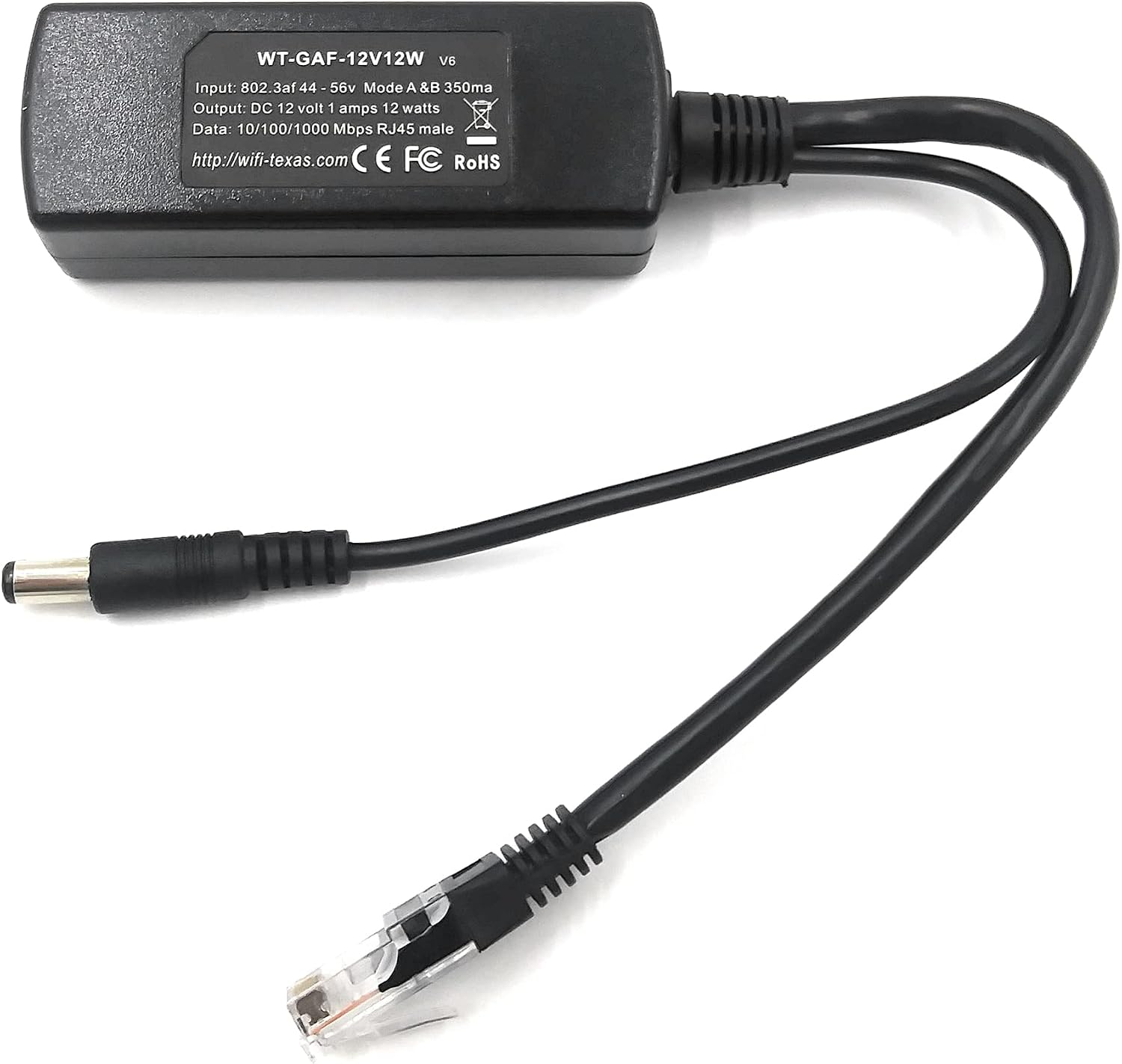
The PoE Texas UPS-12v12w delivers regulated 12V DC to compatible networking equipment, routers, or systems that use 12V input from a built-in 2600mAh battery.
If your camera or switch runs on PoE and doesn't need AC power at all, this unit powers it directly. Rated for up to 2.5 hours at full load, provides DC power directly to a single camera or switch over Ethernet.
- 12 V/12 W output
- Single 12V DC output, built for one PoE camera, switch, or router
- Up to 2.5 hours of runtime at full load
- 12V 2600mAh rechargeable Li-ion battery included
- Indoor use only, not rated for exposure to moisture
Pros
- No AC inverter step, so less power is wasted converting current
- Efficient DC design avoids inverter losses
- Compact housing built for one device, not a whole stack
Cons
- Covers exactly one device, not a router-and-NVR stack
PoE Texas UPS-12v12w reviews
Amazon purchasers rated the 12v12w with 4.5 stars across about 100 reviews. Owners report that it does what it promises and works with different camera brands. Some wish the cords were longer on the unit.
Should you buy the PoE Texas UPS-12v12w?
You should buy the UPS-12v12w if you have a single PoE camera or switch and want to power it directly without an AC UPS in between. You should pass on it if you're covering a router, NVR, and multiple cameras together, since this unit works for one device.
5. Anker SOLIX F3800 Plus
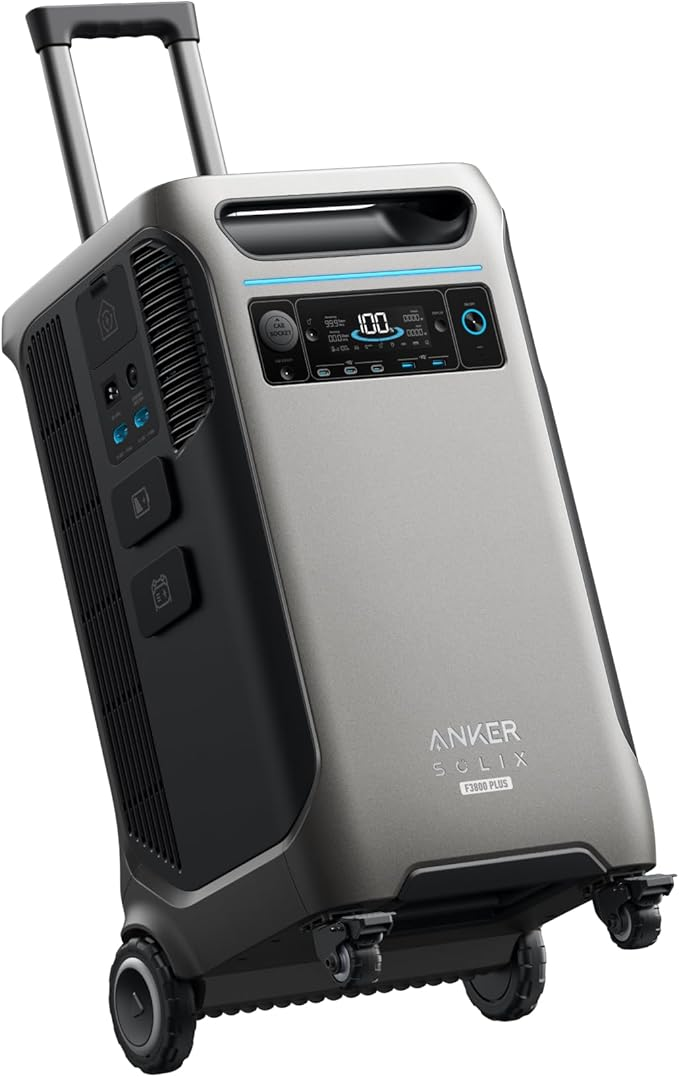
The Anker SOLIX F3800 Plus starts with a 3,840 Wh LiFePO4 battery and expands to 53.8 kWh with add-on battery packs.
If you already need or want a whole-home battery system, this unit covers your security stack within a larger purchase instead of running a separate UPS. Its 6,000 W output and 8 AC outlets cover far more than cameras and a router, and the sub-20ms switchover keeps connected equipment from dropping when the grid cuts.
- 3,840 Wh capacity, expandable to 53.8 kWh with battery packs
- 8 AC outlets, 5 USB/DC ports, 120V/240V output
- 6,000 W continuous output
- Sub-20ms UPS switchover
Pros
- Covers a security stack plus other essential circuits, not cameras alone
- Expandable to multiple days of runtime with add-on battery packs
- No electrician installation required to start using it (as a portable power station)
Cons
- Priced far above every other pick in this roundup for capacity that most security-only setups don't need
Anker SOLIX F3800 Plus reviews
Anker SOLIX F3800 Plus owners rate the unit 4.1 out of 5 stars across about 40 Amazon ratings. Most owners run full UPS and EV-charging setups without issue, though some said the AC output trips under specific appliance loads like a 15,000 BTU air conditioner. Anker's customer service draws praise for fast replacement parts and active follow-up.
Should you buy the Anker SOLIX F3800 Plus?
You should buy the F3800 Plus if you're already planning a whole-home battery purchase and want your security stack's coverage included in that scale. You should pass on it if you only need to back up cameras, a router, and an NVR.
Lessons from recent power outages
A power outage cuts a security system's recording and monitoring the instant it hits, and the events PowerOutage.us tracks show how long that gap can actually be.
Hurricane Helene knocked out power to 4.79 million customers in September 2024, and parts of western North Carolina stayed dark for 14 or more days. A camera or alarm system without its own battery backup goes offline for exactly as long as the outage runs.
In another example, the Los Angeles wildfires in January 2025 brought Public Safety Power Shutoffs on top of wildfire damage. More than one million customers experienced outages across Southern California during the January 2025 windstorm, wildfire, and Public Safety Power Shutoff events. Having a camera and alarm backup was important to protect homes that sat empty during evacuations.
Choose a battery backup for home cameras
Choosing the right battery backup starts with identifying what kind of power your equipment needs.
- Identify whether your setup needs standard AC outlets (router, NVR, DVR) or a direct 12V DC/PoE connection (camera, switch), since those are different product categories.
- Size capacity or amperage to your actual device draw, printed on a label near the power cord or in the device's spec sheet.
- Match the outlet or port count to every device sharing the backup, including a PoE switch or monitor if your setup has one.
- Weigh your outage risk and budget honestly before stepping up to a portable power station or a whole-home system.
- Check whether your NVR, DVR, or alarm panel already includes a manufacturer-specific battery backup module before buying a third-party unit, since some panels build this in.
Readers backing up a router specifically, without the rest of a security stack, can find tips in our battery backup UPS for router guide.