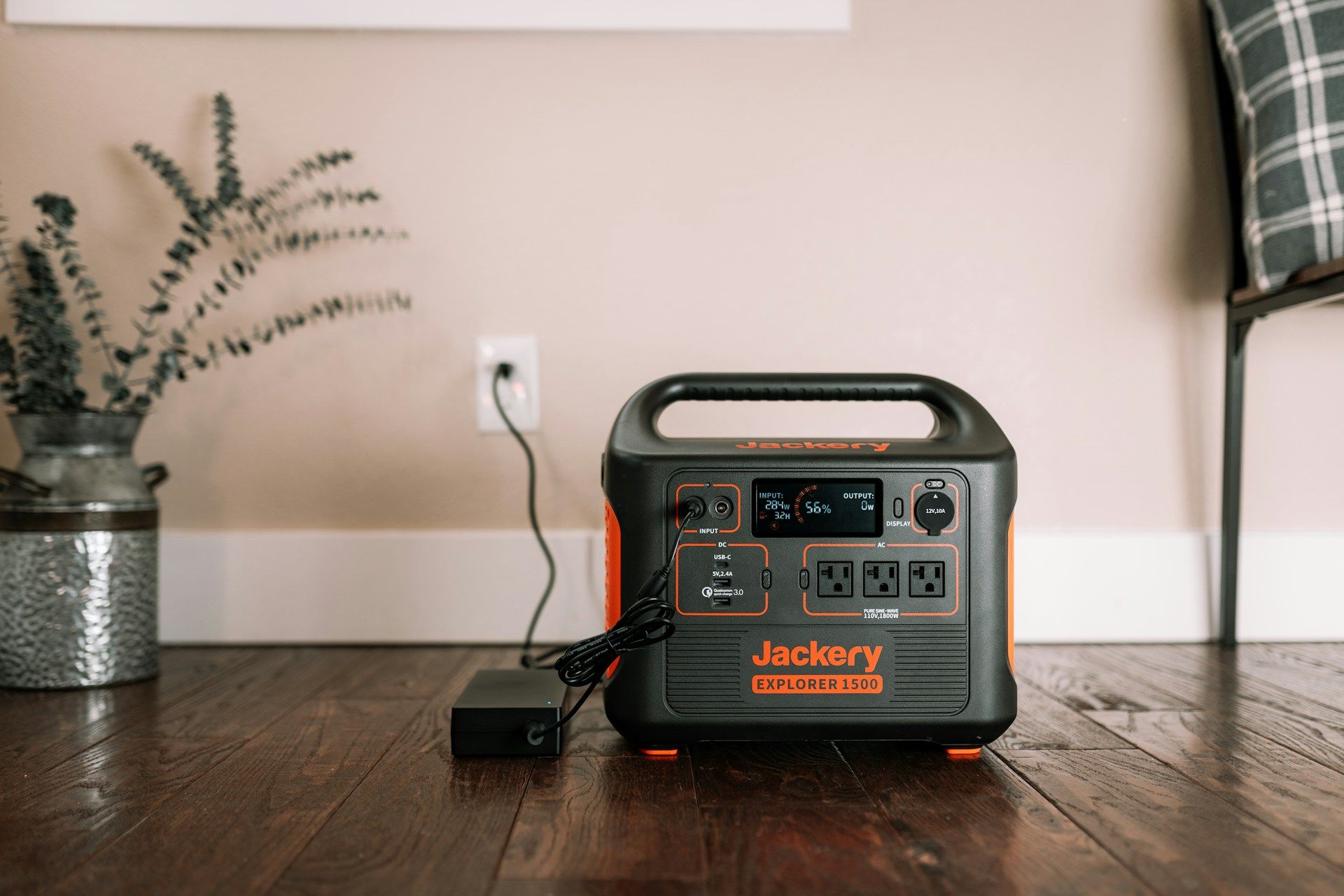


Our rankings rest on PowerOutage.us data. We monitor more than 950 utilities serving over 200 million customers, about 95 percent of the country, and we use outage trends alongside our battery backup guides. More people work from home now, and a 140-watt pack that keeps a laptop and hotspot running turns a powerless afternoon into an ordinary workday.
How we ranked these laptop power banks
We rank reliable power banks on manufacturer specs, owner and published reviews, and PowerOutage.us outage data.
The criteria below run from the factor we weighted heaviest to the one we weighted least.
- Power Delivery watts: First, because the pack has to charge your laptop at full speed while you keep working, not trickle it overnight.
- Capacity: Second, counted in work hours and laptop charges, because a longer outage rewards the bigger cell.
- Spare port: Third, because a phone or hotspot has to stay online next to the laptop.
- Recharge speed: Fourth, because the pack does no good half-full when the lights go out.
- Portability and value: Last, so the pack still earns its spot in an outage emergency kit.
Note that Power banks are marketed in mAh, but watt-hours (Wh) better reflect how much usable energy is available for charging laptops. Also, a power bank buys you one or two laptop charges, not days. For a multi-day work setup, step up to a power station. But for an outage of a few hours, a strong pack carries you through.
How do these laptop power banks compare?
Below, we compare each power bank on capacity, output, ports, and recharge speed.
| Laptop power bank | Capacity | Max PD output | Ports | Recharge speed |
|---|---|---|---|---|
| Anker 737 Power Bank | 24,000 mAh | 140 W | 3 (2 USB-C, 1 USB-A) | About 1 hr (140 W) |
| Baseus 25,000mAh 140W | 25,000 mAh | 140 W | 2 built-in USB-C cables | About 1 hr 45 min (140 W) |
| Baseus Blade 100W | 20,000 mAh | 100 W | 4 (2 USB-C, 2 USB-A) | About 1.5 hrs (65 W) |
| UGREEN Nexode 145W | 25,000 mAh | 145 W | 3 (2 USB-C, 1 USB-A) | About 2 hrs (65 W) |
| Anker 747 Power Bank | 26,800 mAh | 87 W | Multiple | About 2.5 hrs (65 W) |
5 best laptop power banks for working during outages
The five picks below stretch from a slim option to a high-capacity unit that carries a laptop deep into a long outage.
1. Anker 737 Power Bank (PowerCore 24K)
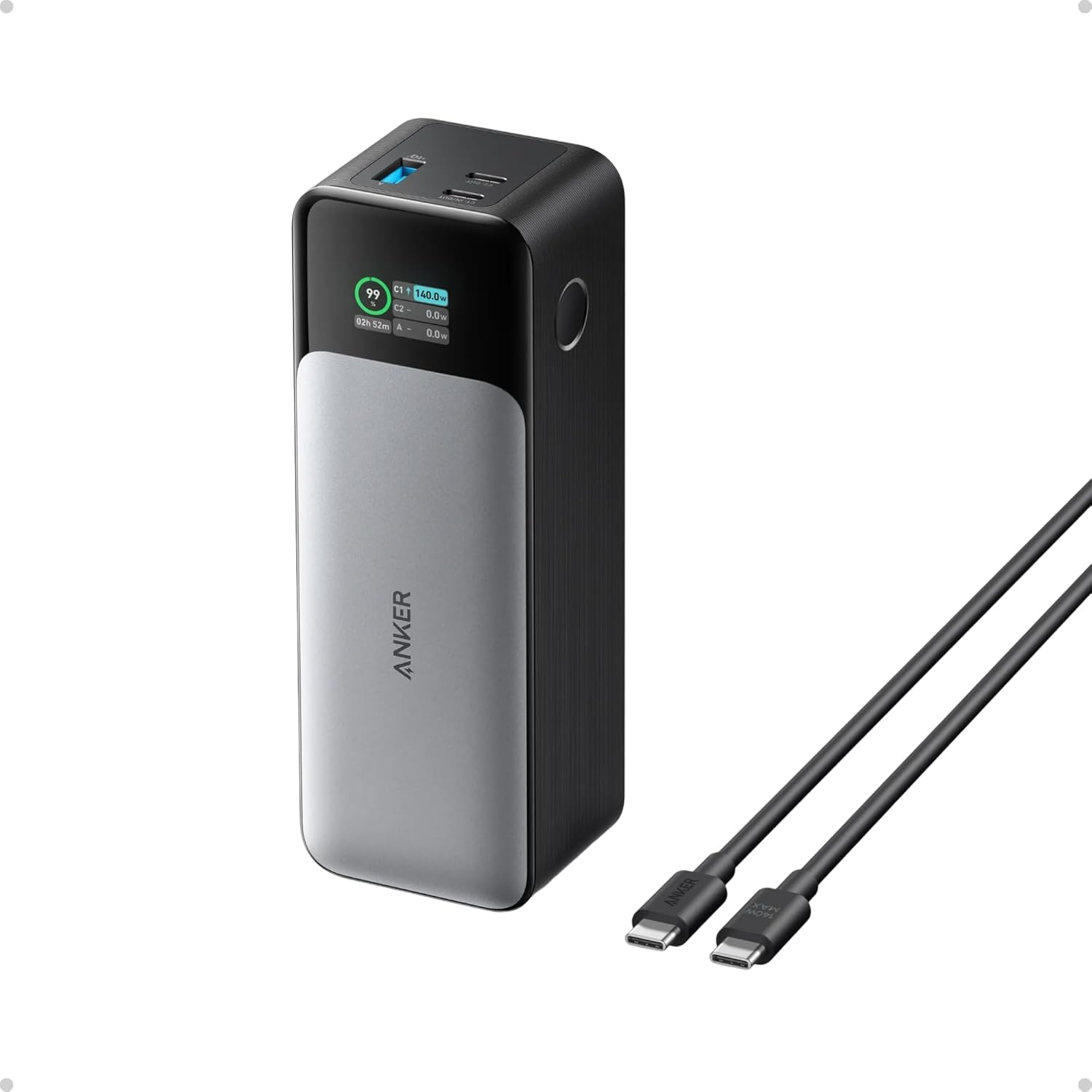
A 24,000 mAh cell, a full 140-watt laptop charge, and a live runtime display rank the Anker 737 the best pack for working through an outage.
Reach for the 737 to keep working without being worried about the power. It charges compatible USB-C PD laptops at up to 140 W, including many MacBook Pro models, plus it runs a phone or hotspot off the second port, and the display counts down the hours you have left on the cell.
- Capacity: 24,000 mAh, 86.4 Wh, fits within the FAA's 100 Wh carry-on limit
- Output: 140 W, charges a laptop at full speed
- Ports: 3 ports (2 USB-C, 1 USB-A)
- Display: Smart screen with live runtime
- Recharge: Refills at up to 140 W, about an hour
Pros
- Charges a laptop at full 140 W.
- Counts down live runtime on the display.
- Powers a laptop and phone together.
- Can recharge in about an hour with a compatible 140 W charger.
Cons
- Carries a chunky body.
- Prices above slim packs.
- Weighs more than a blade pack.
What buyers report
Owners name it the laptop pack to beat, crediting the full-speed charge and the runtime readout. Their one complaint is about the size and the price.
Should you buy it?
Choose the Anker 737 to keep a laptop at full speed and watch the runtime as you work. Skip it if you want something slim or cheaper.
2. Baseus 25,000mAh 140W
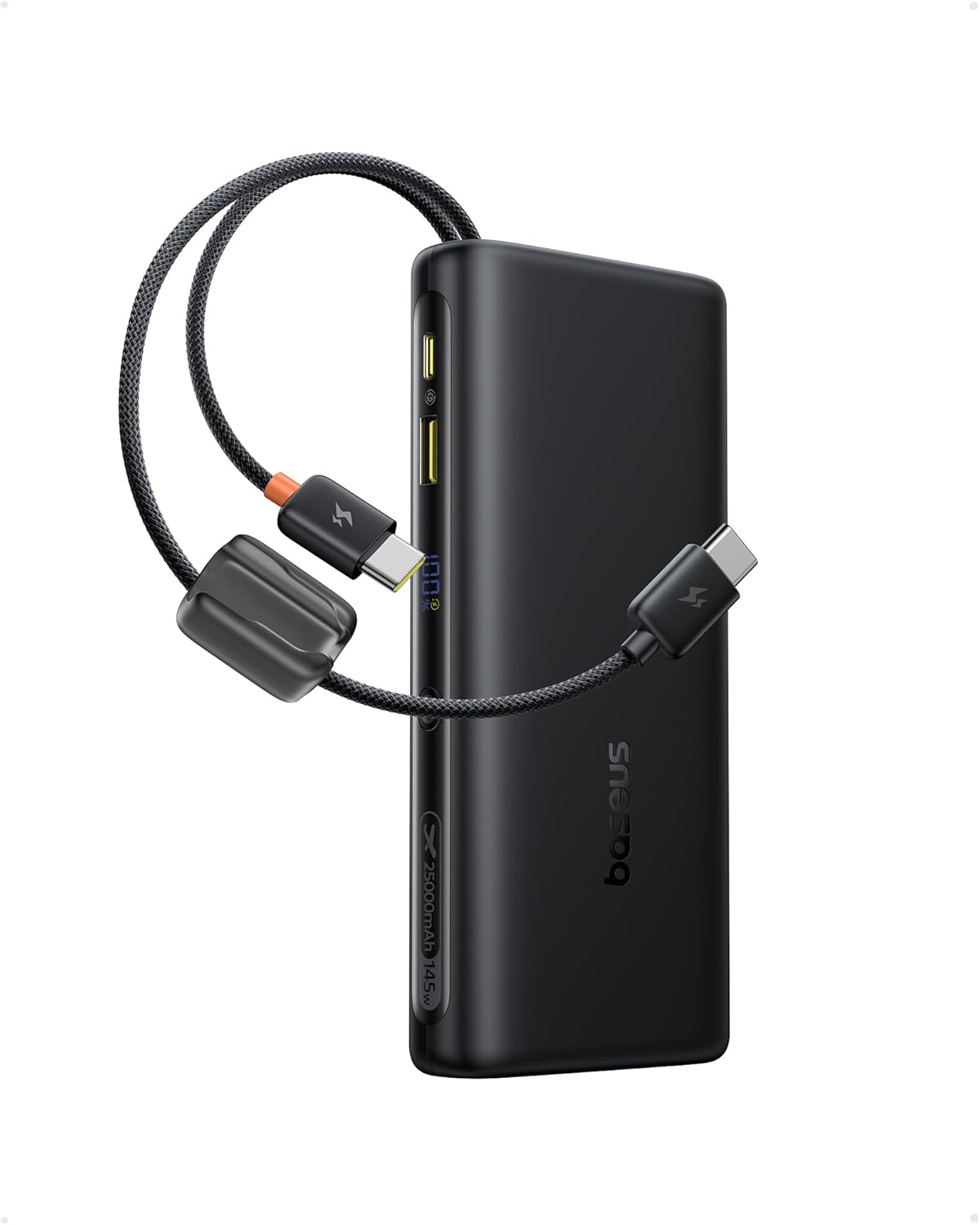
A 25,000 mAh cell, 140-watt PD3.1 output, and two attached USB-C cables let the Baseus charge a laptop with no cord to dig for.
Pick this Baseus if you tend to forget your cables and end up with power but no way to get it. The two built-in USB-C cables and 140 watts charge a laptop and a phone, and the display reports the charge level as it drains.
- Capacity: 25,000 mAh, 91.25 Wh
- Output: 140 W PD3.1
- Cables: Two built-in USB-C cables
- Display: On-board charge readout
- Recharge: About 1 hour 45 minutes at 140 W
Pros
- Carries its own cables, none to forget.
- Charges a laptop at full 140 W.
- Provides high capacity for a workday.
- Reads the charge on the display.
Cons
- Built-in cables can’t be replaced by the user.
- Carries a chunky body.
- Weighs down a bag.
What buyers report
Reviewers credit the attached cables and the 140-watt output, calling it a grab-and-go pack. They do note that a worn built-in cable leaves no replacement option.
Should you buy it?
Buy the Baseus 140W to carry laptop-grade power with integrated cables. Pass on it if you want replaceable cables or a slimmer pack.
3. Baseus Blade 100W 20,000mAh
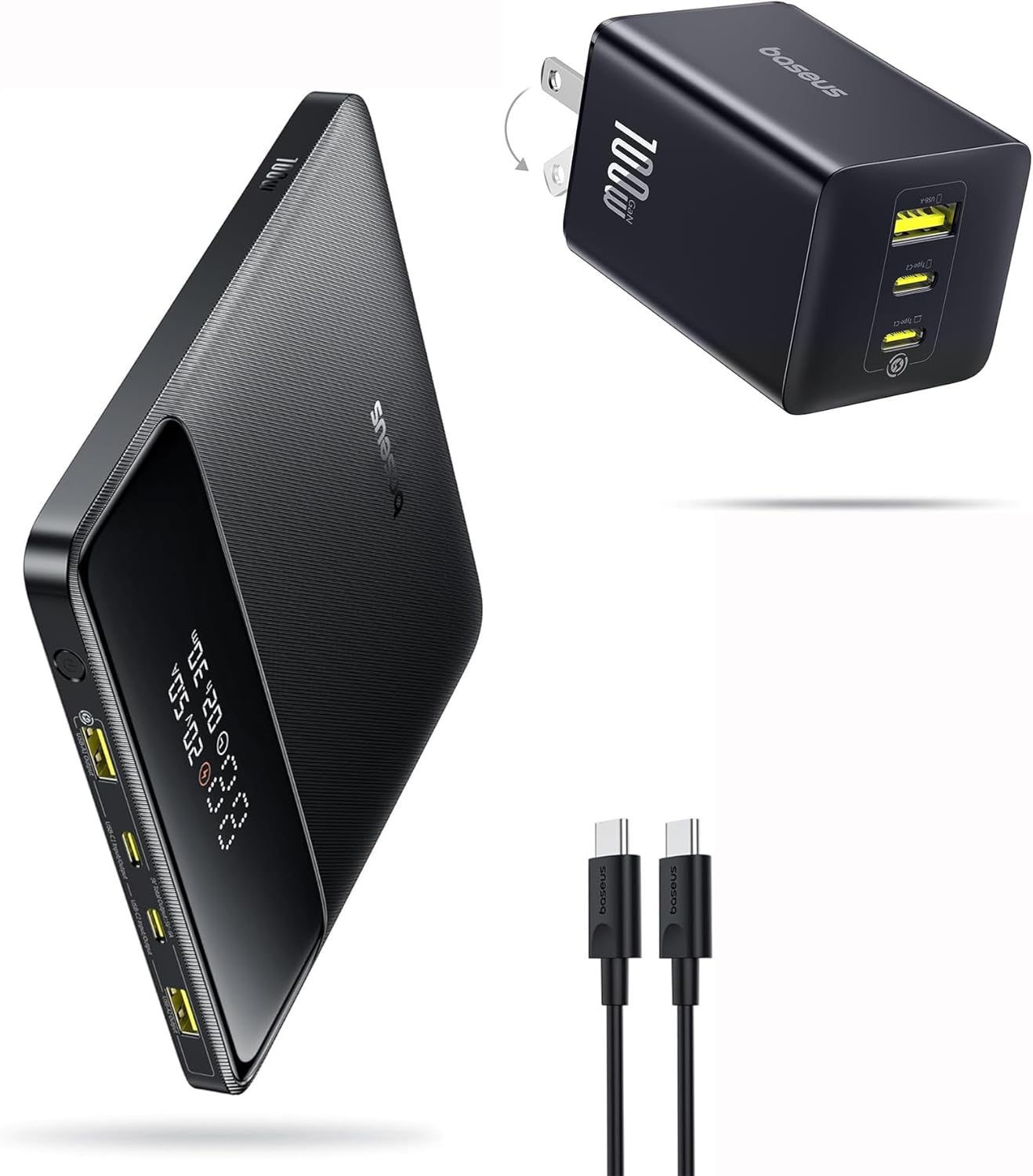
A 20,000 mAh cell in a thin blade body charges at 100 watts and lies flat against a laptop, the most packable pick here.
Carry the Blade when you haul your kit daily and don’t want to add too much bulk. The flat shape fits tucked against a laptop, and the 74-watt-hour cell clears airline limits. 100 W fully charges most productivity laptops, though some larger workstations and gaming laptops can benefit from 140 W or higher.
- Capacity: 20,000 mAh, 74 Wh, airline-friendly
- Output: 100 W
- Form: Slim blade profile
- Ports: 2 USB-C and 2 USB-A
- Recharge: About 1.5 hours on a 65 W charger
Pros
- Lies thin and flat in a bag.
- Charges most laptops at 100 W.
- Feeds four ports at once.
- Clears airline limits at 74 Wh.
Cons
- Has less power than the 25K packs.
- Outputs 100 W, not 140 W.
- Returns fewer work hours per charge.
What buyers report
Owners like the thin body that vanishes in a bag and the 100-watt charging. Their note: it banks less than the larger packs.
Should you buy it?
Pick the Baseus Blade to carry the slimmest pack every day. Pass on it if you need top capacity or a full 140 watts.
4. UGREEN Nexode 145W 25,000mAh
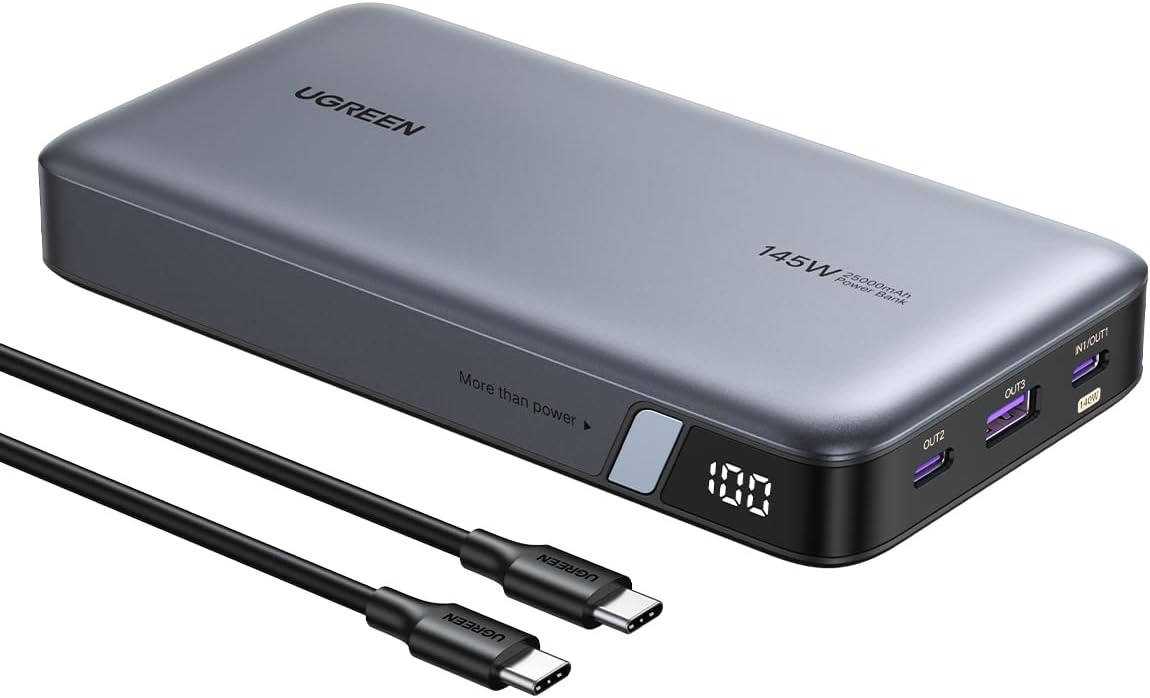
A 25,000 mAh cell, up to 140 watts on a single port, and a two-hour recharge let the UGREEN Nexode charge at flagship pace for less.
Take the Nexode to charge a laptop fully on a budget. One USB-C port carries a 16-inch MacBook Pro from empty to 56 percent in half an hour (according to UGREEN), and a 65-watt charger refills the pack in about two hours.
- Capacity: 25,000 mAh
- Output: 145 W, 140 W on a single port for laptops
- Ports: 3 ports (2 USB-C, 1 USB-A)
- Recharge: About 2 hours on a 65 W charger
- Phone fills: Charges a phone about five times
Pros
- Charges at flagship watts for less.
- Carries a MacBook Pro to 56 percent in 30 minutes.
- Recharges in about two hours.
- Fits easily in a backpack.
Cons
- Shows no smart display.
- Builds plainer than the flagships.
- Still carries a chunky weight.
What buyers report
Reviewers rate it the value pick that matches flagships on watts and charges a laptop fast. The recurring note is that it lacks a display.
Should you buy it?
Get the UGREEN Nexode 145W to charge a laptop fully for less. Skip it if you want a live display or built-in cables.
5. Anker 747 Power Bank (PowerCore 26K)
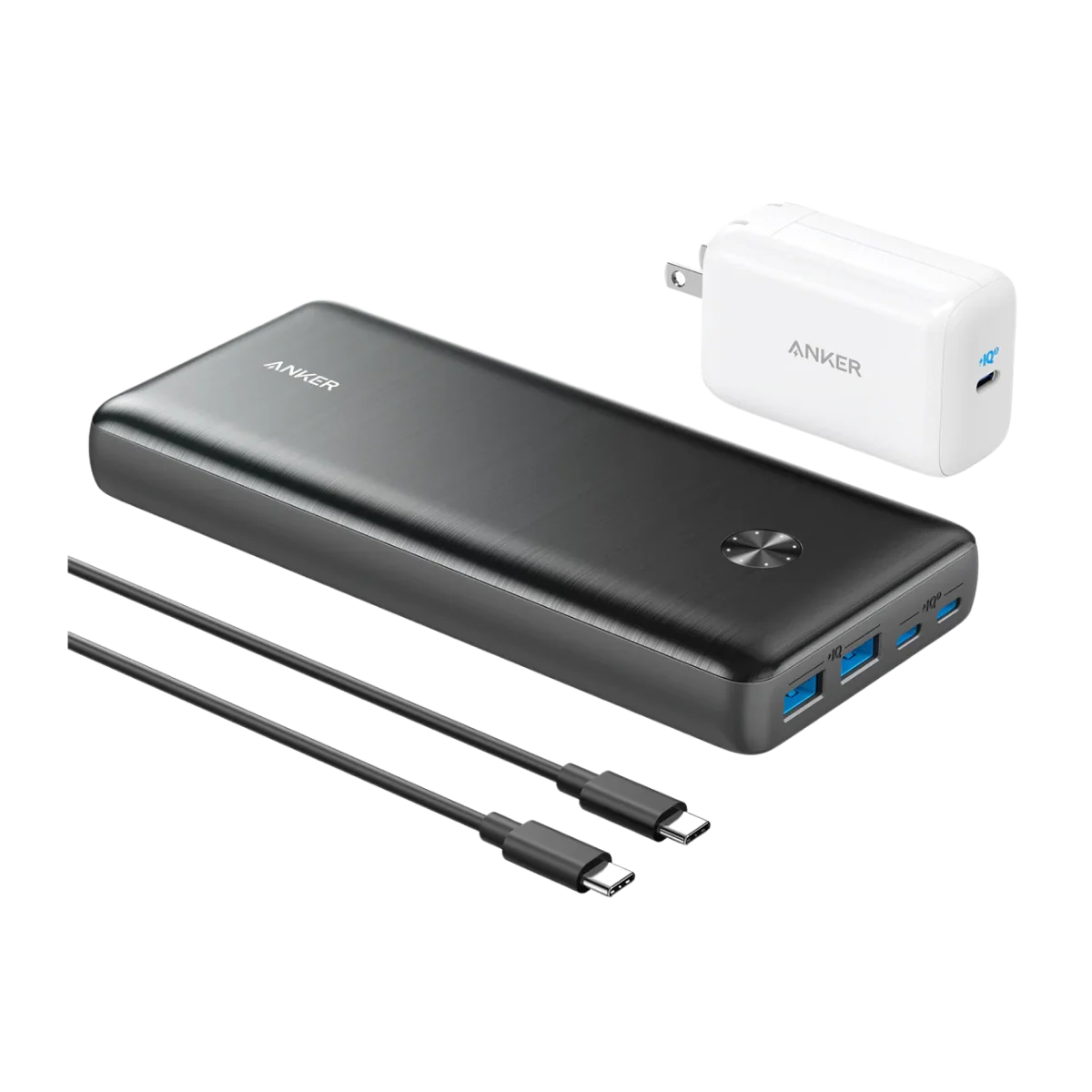
A 26,800 mAh cell, the largest in this comparison, carries a laptop and phone deep into a long outage even at 87 watts.
Lean on the 747 to bank the most work hours per charge. The deep capacity stretches a laptop further into the day, and it accepts the trade of a slower charge against the 140-watt packs.
- Capacity: 26,800 mAh, the most here
- Output: 87 W
- Ports: Multiple outputs
- Build: Below the FAA's 100 Wh carry-on limit
- Recharge: About 2.5 hours on the included 65 W charger
Pros
- Provides the highest capacity here.
- Returns the most work hours per charge.
- Feeds multiple ports.
- Holds up on Anker's build.
Cons
- Charges big laptops more slowly at 87 W.
- Weighs heavy in a bag.
- Doesn't have a display.
What buyers report
Owners favor the capacity for carrying a laptop across a long outage. They mention, however, that the wattage trails the 140-watt flagships.
Should you buy it?
Buy the Anker 747 to bank the most work hours when your laptop does not need 140 watts. Pass on it if you want the fastest charge. For multi-day work, step up to a power station.
Power outages and why a charged laptop matters
In October 2024, Hurricane Milton struck Florida and cut power for 3.4 million customers. For a remote worker, an outage that size erases a workday unless the laptop and hotspot stay charged.
That same year, Hurricane Helene left parts of western North Carolina dark for 14 days. A power bank keeps you working for hours, and paired with solar or a power station, it keeps you earning across an event that long.
How to choose a laptop power bank
Choosing a laptop power bank involves knowing the output watts and capacity you need.
- Read the watts. Match the pack's Power Delivery output to your laptop's charger, 100 watts or more.
- Size capacity to work hours. A 25,000 mAh pack runs roughly one recharge for many ultraportable laptops.
- Hold a port for your phone or hotspot, so you stay online while you work.
- Charge it before the storm. A large pack takes a couple of hours to refill.
- Plan past a single day. Pair the pack with a power station or a solar charger for a longer outage.